
In brief
What Announcement does in Atom.
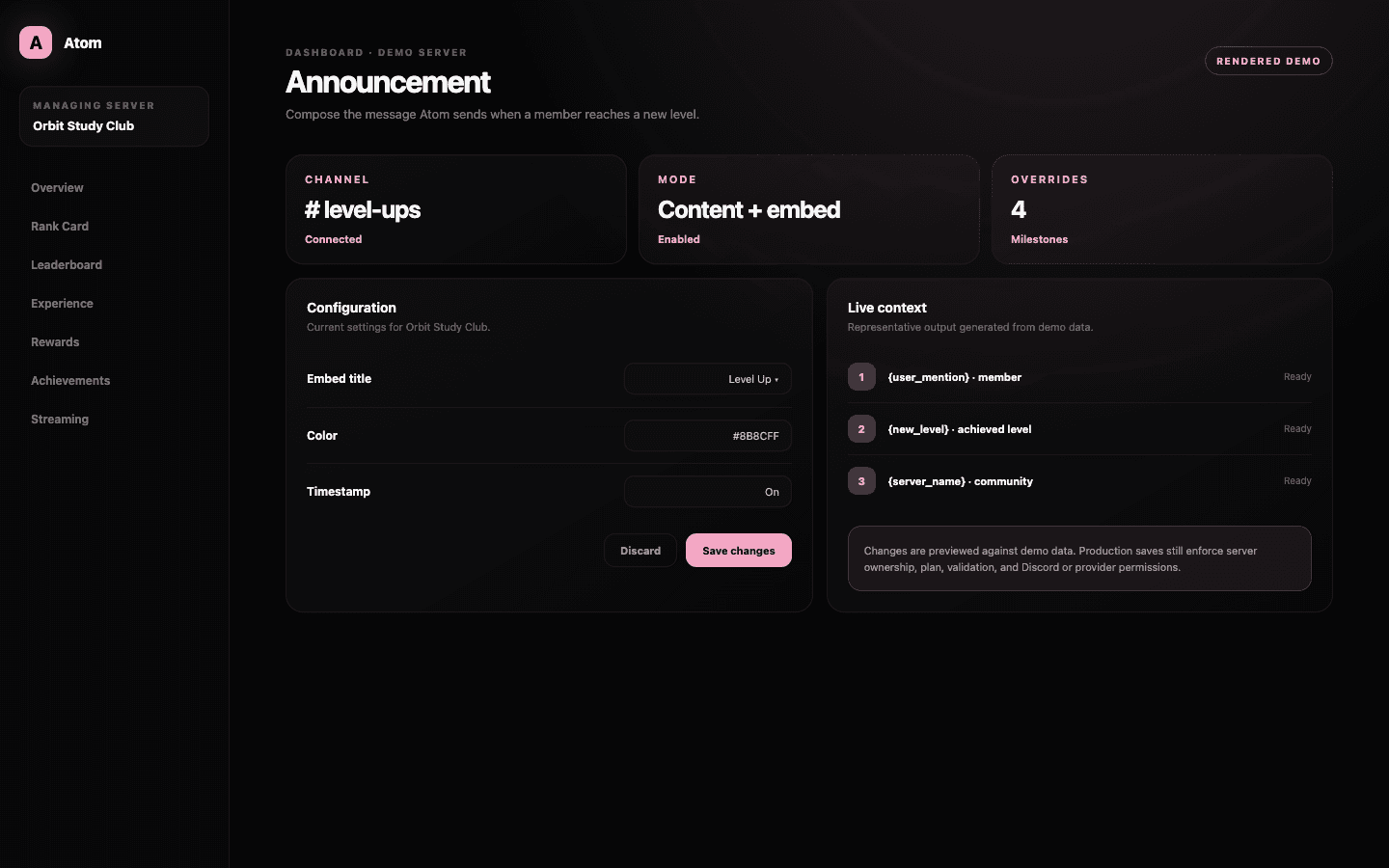
Atom Announcement is the server editor for level-up delivery. Administrators can select a channel, send message content, an embed, or both, customize embed metadata and imagery, use member and level variables, and define overrides for specific level numbers.
01
Delivery, message content, embed content, and metadata are configured as distinct parts of one announcement.
02
Supported variables personalize the member and level without requiring a separate template for everyone.
03
Level overrides are for meaningful milestones; the base template should handle ordinary progression well.
Destination first
Put celebration where it strengthens conversation instead of interrupting it.
A dedicated progression channel creates a visible record and keeps high-volume level-ups out of general conversation. Sending into the active channel can make the feedback feel immediate, but it can also fragment a fast discussion. Choose the destination based on message frequency and the server’s social rhythm, then make sure Atom can send and embed there.
The delivery setting is independent of the template. That means an administrator can move announcements without rewriting the creative, or redesign the message without changing the channel. Separating those concerns makes troubleshooting simpler when a valid template is not appearing.
Content and embed
Use plain content for the essential fact and the embed for hierarchy.
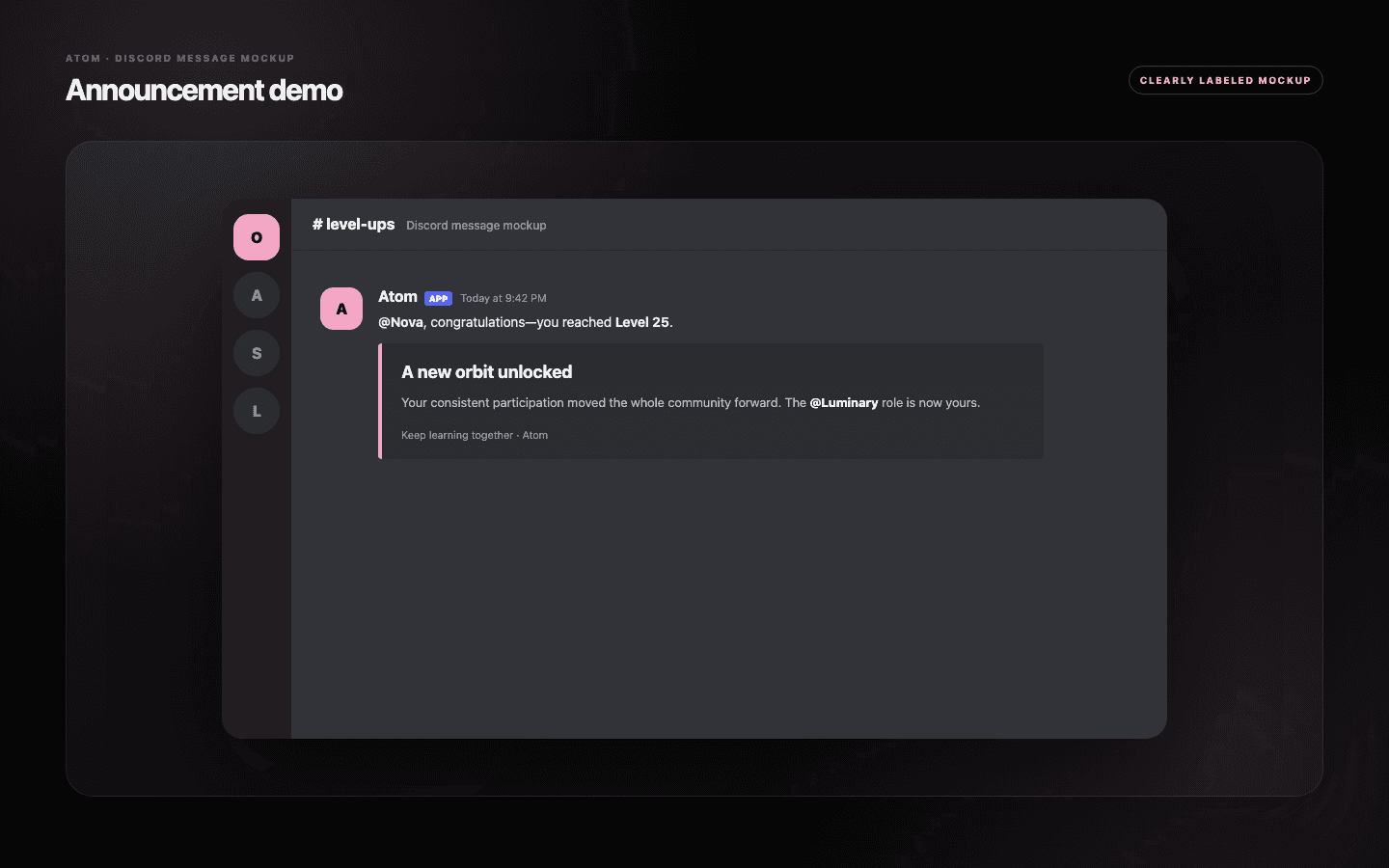
Plain message content is visible, searchable, and suitable for a direct mention. The embed can add a title, color, author, description, thumbnail, image, footer, and timestamp. Atom allows content and embed modes together or separately, so the design can be rich without hiding the member or milestone.
Supported variables insert the live member, old level, new level, server, and related progression details where the template expects them. Keep the sentence grammatically sound when values become longer than the example. A template should still read clearly if an optional image fails to load.
Milestone treatment
Reserve custom overrides for levels that carry a different meaning.
A level override can replace the ordinary announcement for a named level such as 10, 25, or 100. Use it when the milestone unlocks a reward, marks a progression chapter, or deserves a distinct creative. The base template remains the fallback for every level without an override.
Too many overrides create a maintenance catalogue and make the progression voice inconsistent. Build one strong default, then add a small number of milestones whose text, imagery, or emphasis genuinely differs. Review the override when the associated reward or formula changes.
- Keep the member mention and achieved level explicit.
- Use image URLs from stable, trusted hosts.
- Test dark and light Discord themes for embed color and contrast.
Operational checks
A beautiful template still needs a valid channel and permission path.
Before launch, verify that the selected channel still exists and Atom has permission to view it, send messages, embed links, and attach any required media. If delivery fails, inspect resource access before editing the copy; an unavailable channel cannot be fixed by changing an embed title.
After a save, use a controlled level event or supported preview path and review the message on mobile. Confirm that mentions resolve, variables do not leak as raw placeholders, images load, and the notification volume fits the server. Announcements are product feedback delivered into a social space, so their frequency is part of the design.
Common questions
What administrators ask before they switch it on.
Can Atom send both text and an embed?
Yes. Announcement modes support plain content, an embed, or both depending on the server template.
Can I customize one specific level?
Yes. Level Overrides can define a separate template for selected level numbers while the base template handles the rest.
What can I change in the embed?
The editor includes title, color, author, icons, description, thumbnail, image, footer, footer icon, and timestamp controls.
Why is the announcement not appearing?
Check the selected channel, Atom’s channel permissions, and whether the level event occurred before changing the template itself.