
In brief
What Cooldown does in Atom.
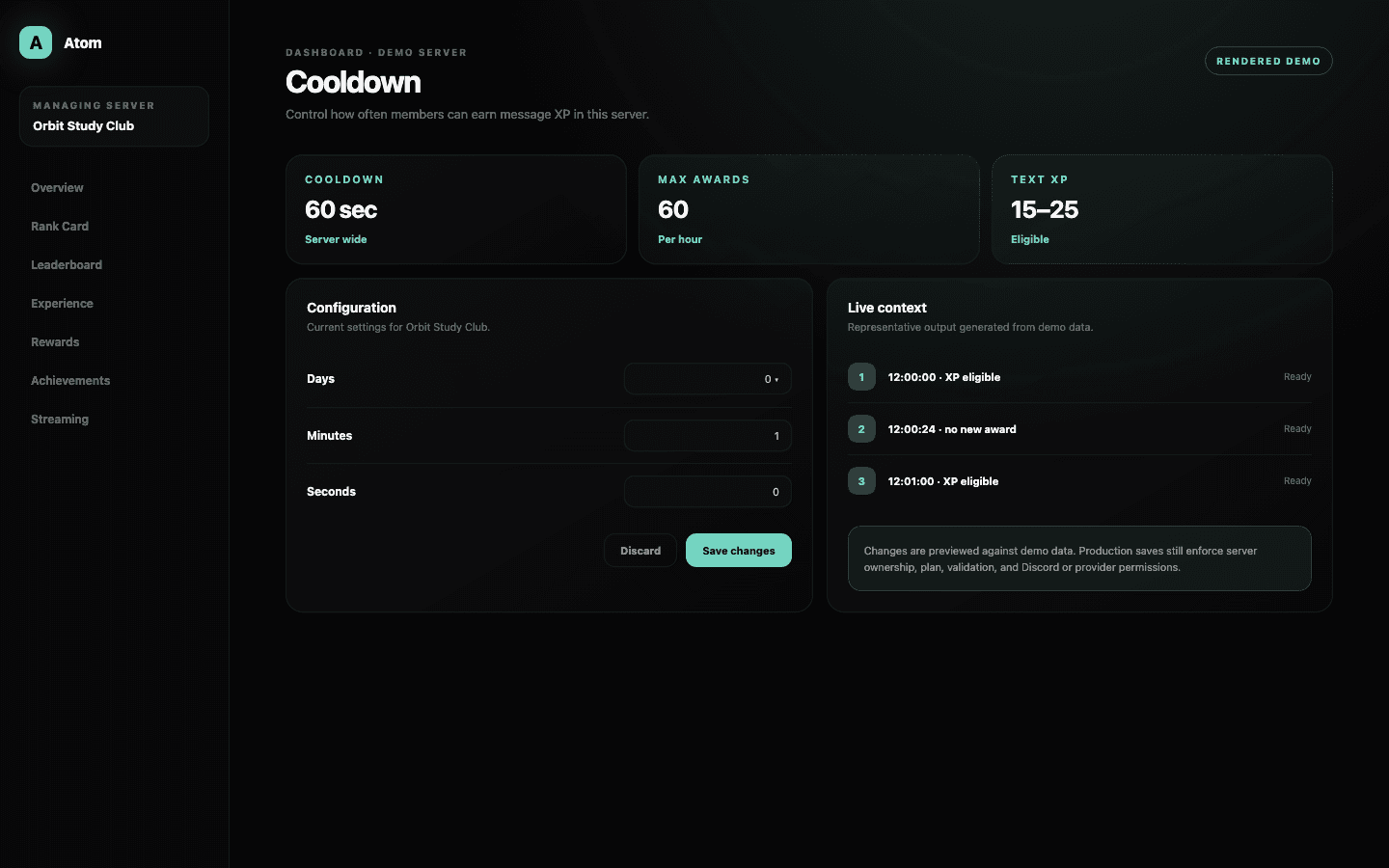
Atom Cooldown is the server-wide timing gate for message XP. The editor accepts a duration composed from days, hours, minutes, and seconds, then shows a quick reference that helps administrators understand how frequently one continuously active member could become eligible.
01
Cooldown controls eligibility frequency; the Experience range controls the award when eligible.
02
The dashboard combines days, hours, minutes, and seconds into one validated duration.
03
Use the quick reference as a ceiling, then compare it with real member behavior and the formula.
A timing gate
Cooldown limits award frequency, not conversation.
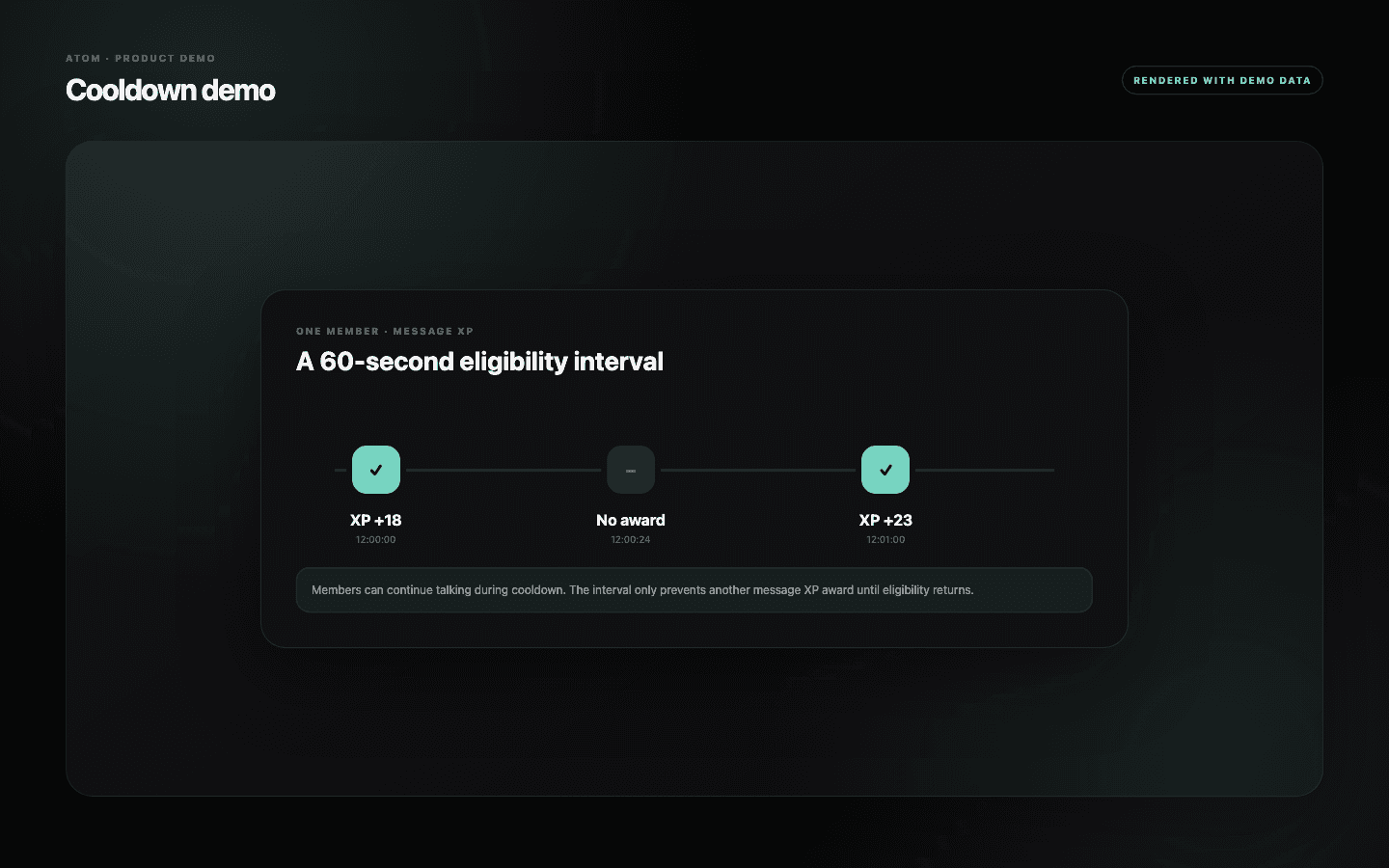
When a member receives message XP, the cooldown begins. Additional messages during that interval can still be sent and moderated normally, but they are not all treated as new eligible XP events. This separates the social act of talking from the mechanical act of progressing.
The amount awarded after eligibility comes from Text Experience. Keeping timing and award range separate lets administrators tune volume without rewriting the meaning of one eligible message. Both settings must be considered together to understand the actual pace.
Days to seconds
Build one duration from units people can verify.
The editor breaks the interval into days, hours, minutes, and seconds while storing one normalized cooldown. Validation prevents unsupported negative or malformed values, and the quick reference expresses the result in practical terms. This is easier to audit than asking an administrator to convert a policy into a large number of seconds by hand.
Use the shortest unit that communicates the rule without false precision. A sixty-second cooldown is easy to explain. A value chosen solely to hit an exact theoretical XP total can look arbitrary to members and may not survive changes in activity or formula.
Balance signal and friction
The right interval rewards return, not repetition.
A very short cooldown can turn rapid low-value messages into the fastest progression path. A very long cooldown can make ordinary participation feel invisible. Start from the natural rhythm of the server and choose an interval that recognizes recurring contribution without paying for a burst of fragments.
Estimate the maximum eligible awards per hour, multiply by the average XP award, and project that through the formula. Then compare the ceiling with a realistic active member rather than assuming someone talks continuously. The quick reference is a boundary, not a forecast.
- Combine adjacent thoughts before rewarding another message.
- Use Blacklist for channels where message XP should never apply.
- Review the interval after events that materially change conversation volume.
A server-wide rule
Change the cooldown deliberately and evaluate an equivalent period.
The save action validates the complete duration and preserves the existing rule if the dashboard request fails. Because the cooldown affects every eligible message channel, announce a material change and record the previous value before applying it.
Use Overview and leaderboard movement after a full representative period. If farming persists, examine channel policy and message quality rather than reducing the interval indefinitely. A healthy progression model combines cooldown, eligibility, social norms, and moderation.
Common questions
What administrators ask before they switch it on.
Does cooldown stop members from sending messages?
No. It only controls how often an eligible message can produce XP.
Where do I change the XP amount?
Use Text Experience for the award range. Cooldown controls the time between eligible awards.
Can I enter days, hours, minutes, and seconds?
Yes. The dashboard combines those unit fields into one validated server cooldown.
What is a good message XP cooldown?
There is no universal value. Choose one that fits the server’s conversation rhythm, award range, and formula, then observe real behavior before retuning.