
In brief
What Formula does in Atom.
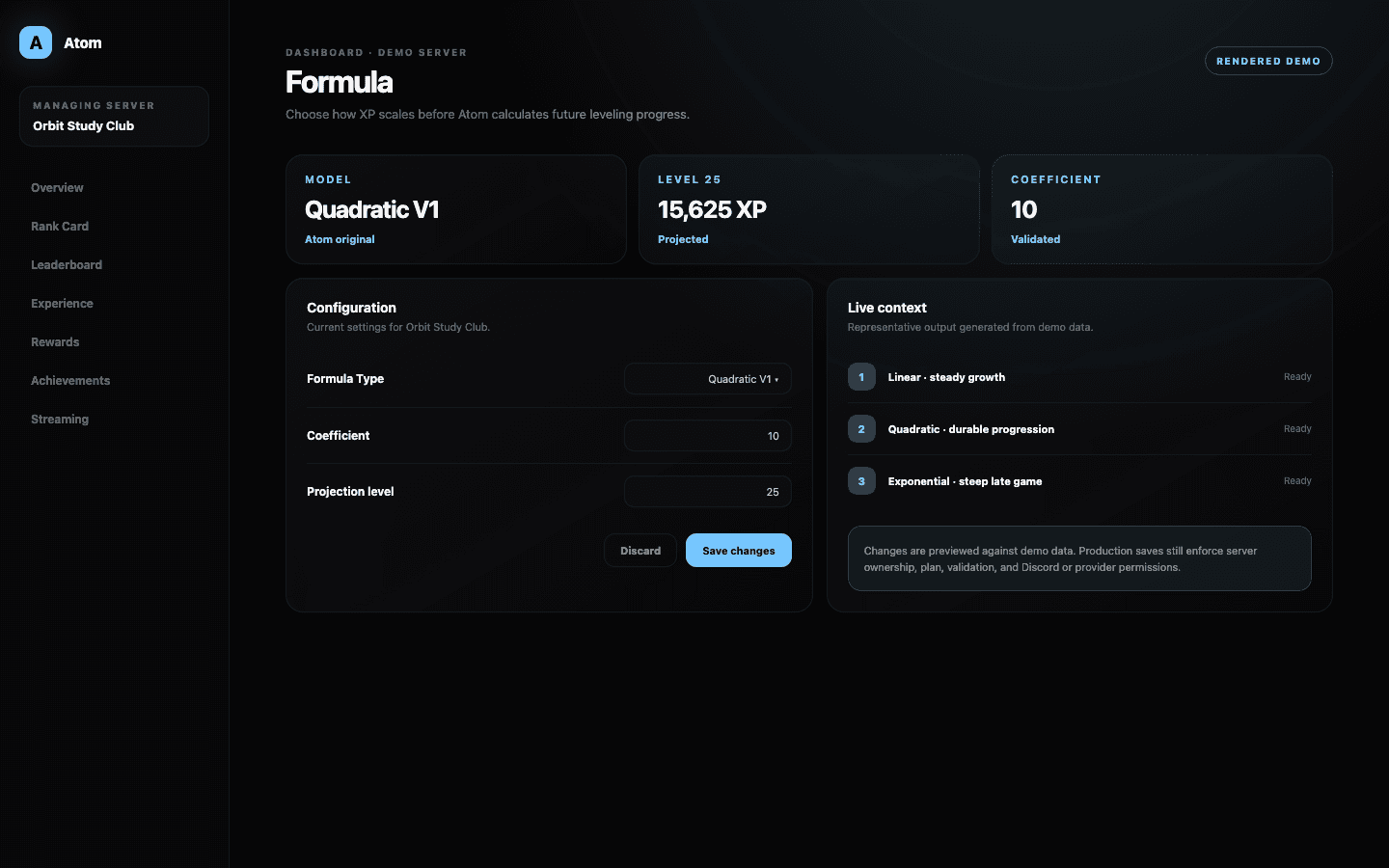
Atom Formula controls the relationship between level and required XP. The dashboard offers Quadratic V1, Quadratic V2, Exponential, and Linear models, exposes only the parameters relevant to the selected curve, and calculates a preview for an administrator-chosen level.
01
The formula changes future level requirements; it does not decide which activity earns XP.
02
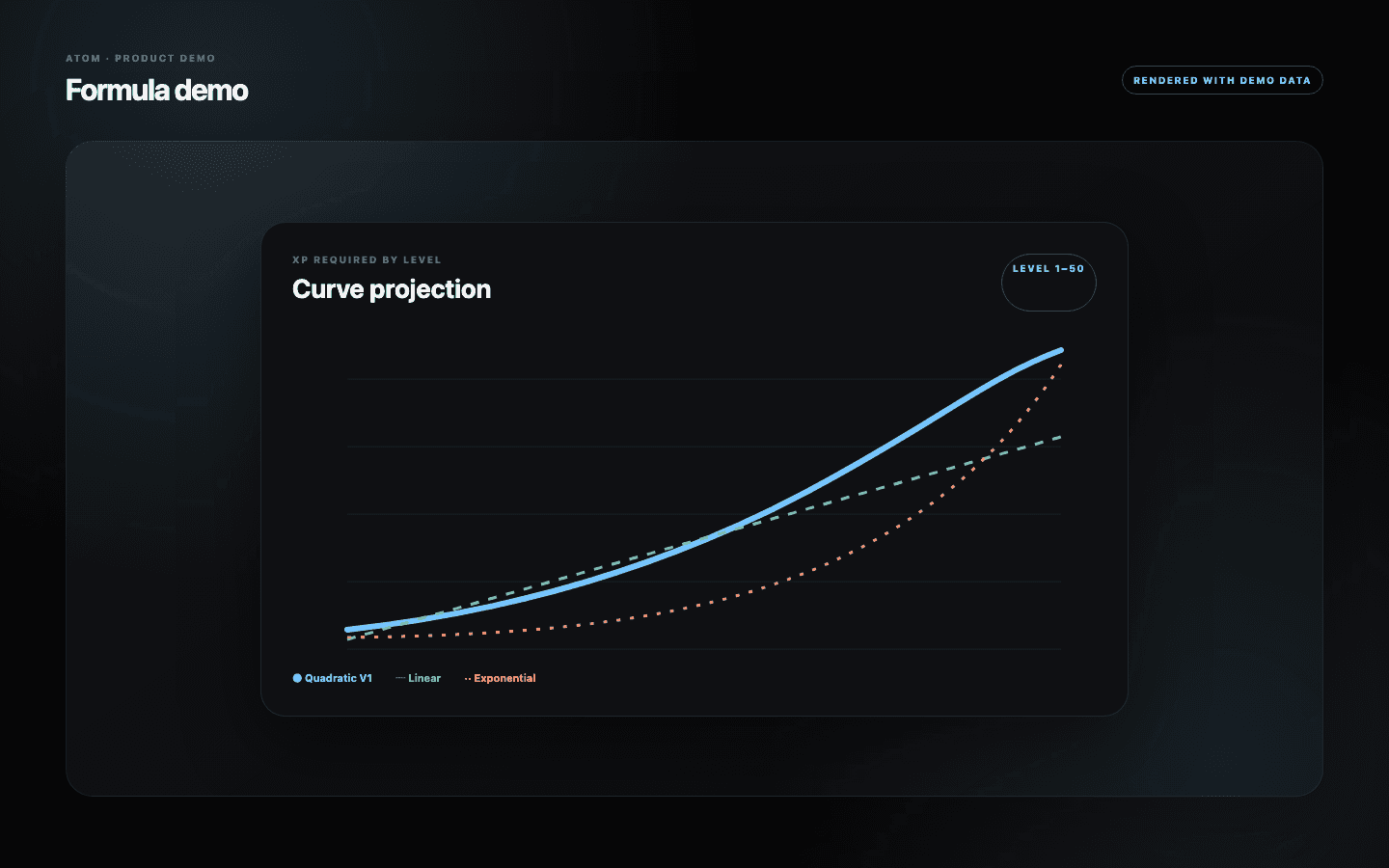
Quadratic, exponential, and linear curves create very different long-term pacing.
03
Project several early, middle, and late levels before applying a new curve to an active community.
Four supported models
The curve is a statement about how progression should feel over time.
Linear growth adds requirement at a steady rate and is easy to explain. Quadratic growth increases the cost more aggressively as levels rise; Atom includes its original Quadratic V1 model and a Quadratic V2 model compatible with Lurkr-style progression. Exponential growth compounds through a base and can make high levels exceptionally distant.
No model is universally correct. A short seasonal server may need a flatter curve, while a long-lived community may want late levels to remain rare. Choose based on expected earning volume and the lifetime of the progression system, not on which formula sounds most sophisticated.
Parameters with feedback
Change one coefficient, then inspect the levels members will actually encounter.
The selected model determines which coefficient, constant, base, or exponent controls appear. The dashboard validates those values and provides a level input for quick reference. Use it repeatedly: check an onboarding level, a meaningful middle reward, and the highest level a committed member might reach.
A single attractive example is not enough. Two curves can be nearly identical at level 10 and diverge dramatically by level 60. Record several projected requirements and translate them into expected days or weeks using the server’s real earning rate and cooldown.
Formula is one layer
Pair the curve with earning rules and rewards.
Experience decides how eligible messages, voice, and reactions award XP. Cooldown constrains how often some awards can occur. Multipliers alter context, and Formula turns the resulting total into level thresholds. Changing one layer can make the others feel unexpectedly generous or severe.
Place meaningful rewards at points the chosen curve makes attainable. If a desired role sits behind months of ordinary participation, that may be intentional prestige—or it may be a mismatch between the formula and the reward ladder. Projection lets administrators distinguish the two before members invest the time.
Migration discipline
Treat a formula change as a progression migration.
Members already have XP, levels, expectations, and earned roles. Before changing the formula, determine how Atom will recalculate future progress and whether displayed levels can move. Communicate the reason, effective time, and treatment of existing rewards before the save occurs.
After saving, inspect several representative members, the leaderboard, rank cards, and milestone timing. If the result is wrong, use the recorded previous parameters to restore the model rather than guessing. A formula deserves versioned operational notes even when the dashboard itself is simple.
Common questions
What administrators ask before they switch it on.
Which formulas does Atom support?
The current dashboard offers Quadratic V1, Quadratic V2, Exponential, and Linear growth models.
Does Formula control XP per message?
No. Activity awards are configured in Experience. Formula controls how accumulated XP maps to level requirements.
What should I preview before saving?
Project early, middle, and late levels, then estimate how long each takes using the server’s real activity range and cooldown.
Can changing the formula affect existing members?
It can change how their accumulated XP relates to levels and future thresholds. Treat the change as a migration and verify representative member states.