
In brief
What Kick does in Atom.
Atom Kick connects a Discord community with a Kick creator identity for supported live-chat progression. Qualifying messages can contribute to server XP when enabled, while passive viewing does not. Provider availability and browser-extension requirements remain distinct from Twitch and YouTube.
01
Kick is managed as its own provider connection rather than an alias for Twitch or YouTube.
02
Only qualifying chat activity can earn progression, under the server’s shared live-chat pacing rules.
03
Verify the required browser-extension or ingestion path in the live environment before launch.
A provider-specific relationship
Confirm the creator identity and the current integration path.
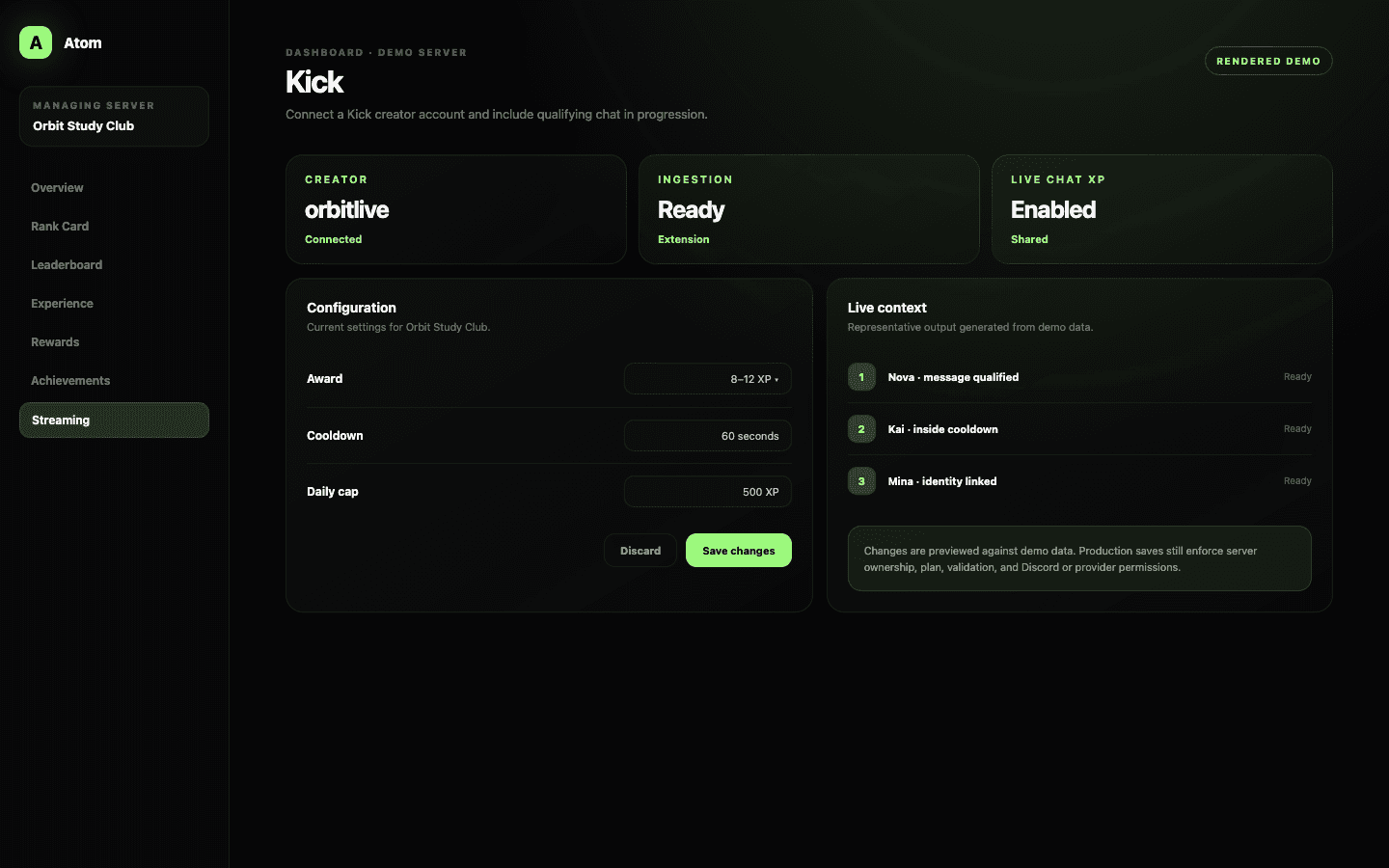
Connect Kick from the selected server and verify the creator account shown by Atom. Provider capabilities and authorization models change independently, so do not assume that a Twitch setup instruction applies to Kick. The dashboard’s Kick state is the source of truth for the current connection.
Where the browser extension participates in supported live-chat ingestion, install and operate it only in the creator or moderator environment documented for the feature. Confirm its state before a stream instead of discovering after the fact that chat was never entering Atom.
Shared progression policy
Kick chat joins the same cooldown and daily cap as other sources.
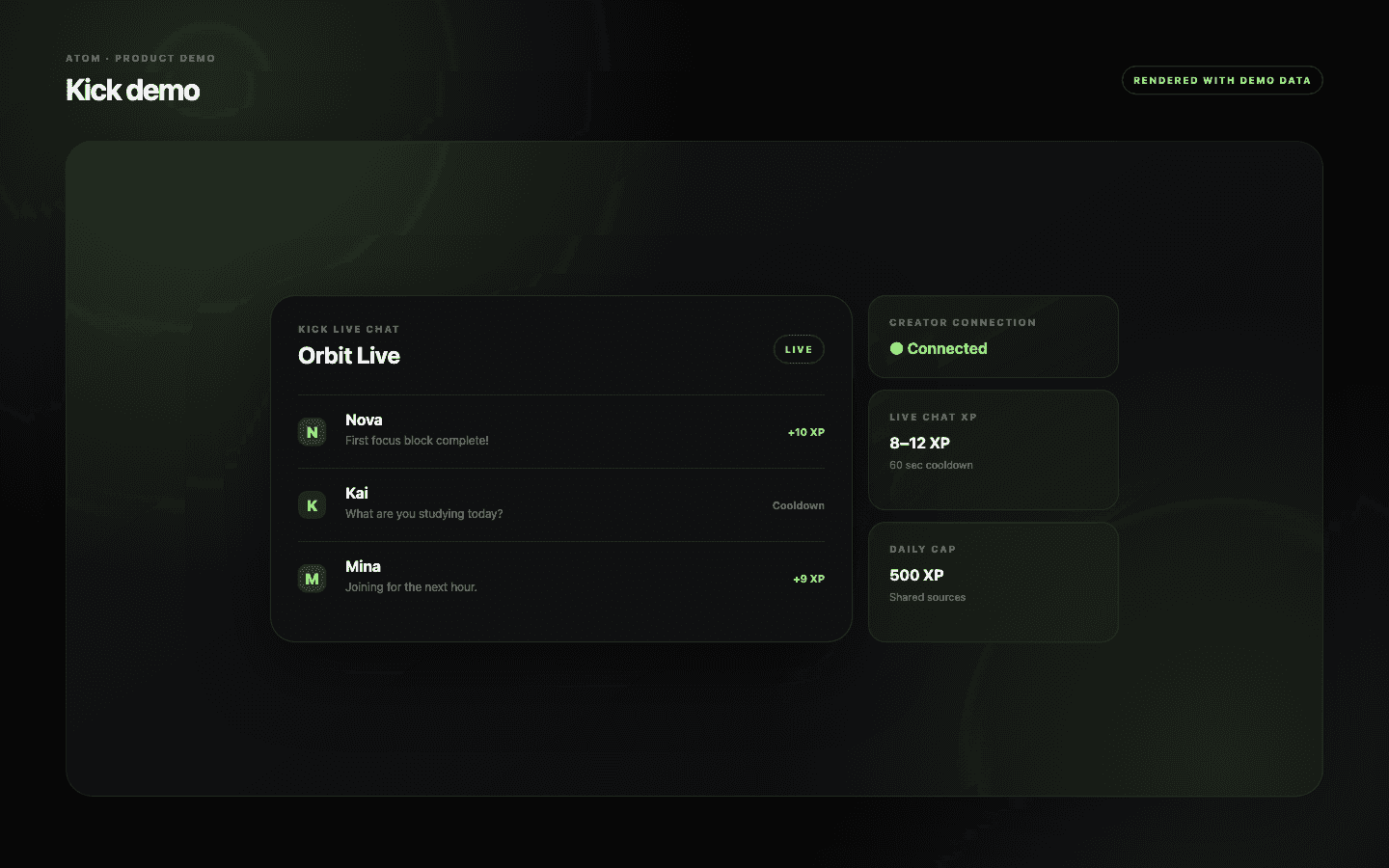
Enable the source and choose the award range for qualifying messages. Passive viewers do not earn XP. A shared cooldown and optional daily cap protect the intended member pace across platforms so switching from one connected chat to another does not create a fresh allowance.
Keep the range aligned with Discord activity and the server formula. Live chat often has a different message rhythm from Discord, but it should still contribute to one understandable progression journey rather than a hidden second economy.
Identity and policy
Attribute the right message to the right community member.
Kick and Discord accounts are separate identities. Use the supported association flow and explain it before promising progression. If Atom cannot identify a viewer safely, the message should not be guessed onto a member record simply because the display names look similar.
Kick chat moderation remains a platform and creator responsibility. Progression rules can limit pacing, but they do not replace moderators, filters, or community guidelines. A message that violates policy should not become valuable merely because it is technically eligible for counting.
A controlled live test
Test provider, extension, attribution, and XP as one chain.
During a controlled stream, verify the Kick creator identity, extension or ingestion status, a linked test member, a qualifying message, and the resulting Discord progression. Then repeat inside the cooldown to ensure the pacing rule is actually enforced.
When the chain fails, move in that order instead of changing several settings at once. The streaming article explains how the resulting progression can issue Atoms and lead to Store rewards even though Kick itself remains only one connected source.
Common questions
What administrators ask before they switch it on.
Can Kick chat earn Atom XP?
Supported qualifying messages can contribute when the creator connection, ingestion path, member attribution, and Live Chat XP rules are active.
Does passive Kick viewing earn XP?
No. Atom’s streaming progression is based on qualifying chat activity, not passive watch time.
Does Kick use a separate cooldown?
The server uses shared live-chat pacing controls across connected sources, including cooldown and optional daily cap.
Why should I test the browser extension?
Where the extension is part of the supported ingestion path, a valid provider connection alone does not prove live chat is reaching Atom.