
In brief
What Language does in Atom.
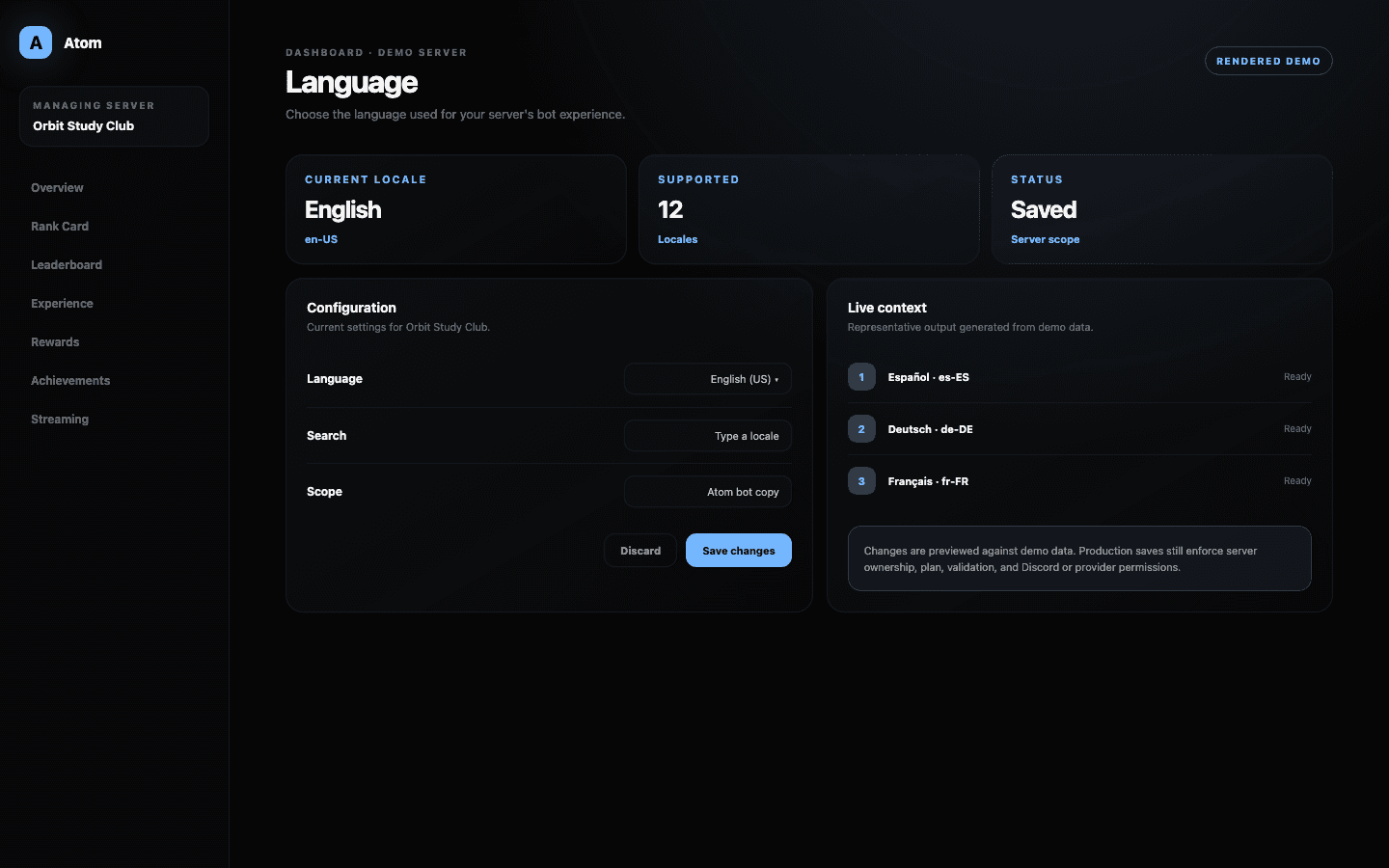
Atom Language chooses the locale used by the bot experience in a specific Discord server. It is a server-level setting: it does not change each member’s Discord client, browser language, or the language of unrelated integrations.
01
The selected locale applies to Atom’s server-facing bot experience.
02
Discord, browser, and individual member language preferences stay independent.
03
Treat a language change as a community communication change, not a cosmetic toggle.
Server-level localization
One locale creates a consistent shared bot experience.
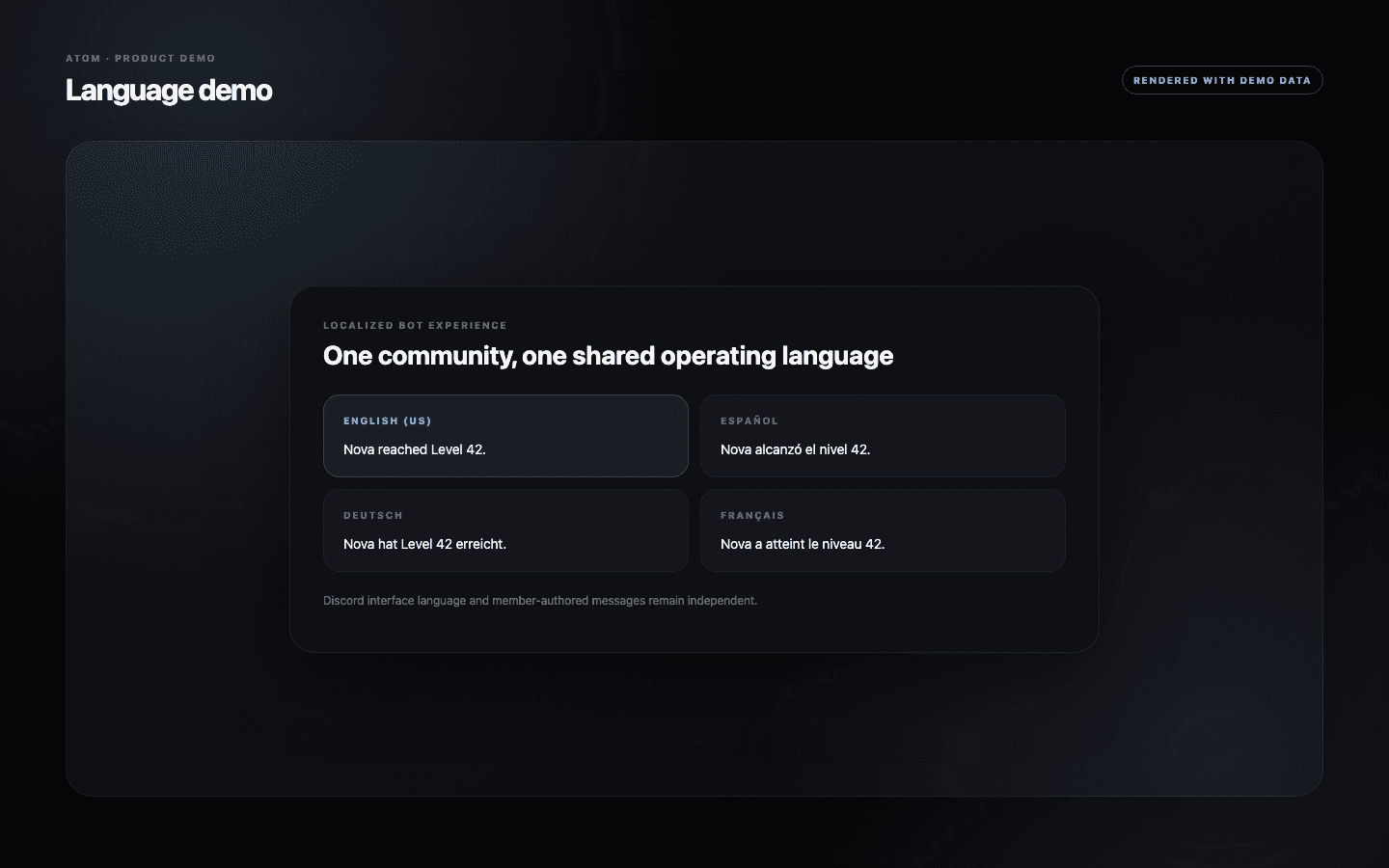
The selected language becomes the server context Atom uses for supported bot copy. That includes the words members encounter while using commands and the automated messages produced by configured features. A shared locale is especially useful when moderators need to support the same command vocabulary and explain outcomes consistently.
The setting is deliberately scoped. It does not rewrite member-authored content, translate Discord channels, or change the language of a user’s Discord application. Integrations can also have their own platform language. Keeping those boundaries explicit prevents administrators from expecting one switch to translate every surface in a community.
Choose for the community
Use the language members rely on for instructions and feedback.
Pick the locale used for rules, onboarding, and moderator support—not necessarily the language with the largest number of passive readers. Atom’s responses often explain a requirement, cooldown, reward, or error. Those moments need precision more than decorative fluency.
For multilingual servers, choose the primary operational language and use localized channels or custom messages where a feature supports them. If no single language serves the community, document the chosen bot locale in onboarding so members understand why command responses may differ from the channel they are reading.
Validated updates
The dashboard accepts supported locales and preserves the last valid value.
The selector supplies supported locale values instead of asking administrators to invent language codes. The form validates the choice before saving and reports a structured error if the update fails. Until a valid save completes, the server continues using its current locale.
Language availability can depend on the server plan. A locked option is shown as a product boundary, while the rest of Atom remains available in the saved locale. Administrators should avoid repeatedly submitting an unavailable value or assuming that a failed save partially translated the server.
Change management
Review the messages members depend on after changing locale.
After a language change, test a representative command, a leveling response, and any configured announcement or reward message. Custom text may remain exactly as an administrator wrote it, while Atom-owned interface copy follows the selected locale. That distinction lets communities keep branded wording without hiding the system’s standard feedback.
Tell moderators when the vocabulary changes. A translated feature name or error can affect support searches and screenshots even when the underlying behavior is identical. Keeping a short internal glossary is often enough for teams that moderate in more than one language.
Common questions
What administrators ask before they switch it on.
Does this change every member’s Discord language?
No. It changes Atom’s server-facing locale. Each member’s Discord interface language remains their own setting.
Does Atom translate messages written by members?
No. The locale applies to supported Atom interface and bot copy, not user-authored conversation.
Can a multilingual server use several locales at once?
The dashboard stores one primary server locale. Use channel organization and supported custom messages to supplement it for multilingual communities.
What happens if saving the locale fails?
Atom keeps the last valid server locale and shows an error. No partial language update should be assumed.