
In brief
What Personalization does in Atom.
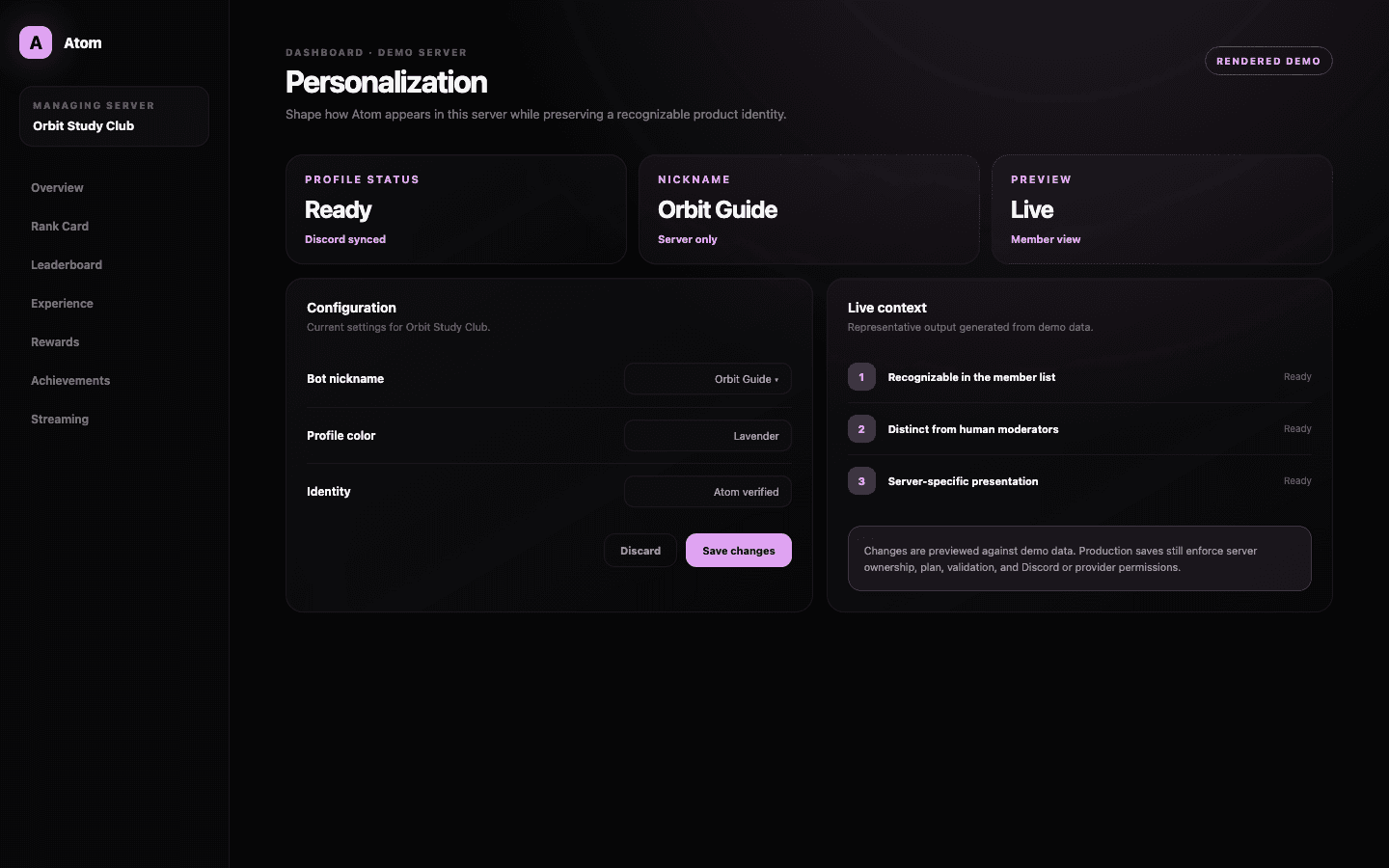
Atom Personalization manages the server-specific presentation of Atom’s bot member. It is intended for identity details that can vary by community, while global product identity, authentication, and Discord permissions remain controlled by Atom and Discord.
01
Adjust server-facing identity without changing Atom’s permissions or ownership.
02
Preview presentation choices in the context members will actually see.
03
Prefer a recognizable identity over a disguise that confuses moderation or support.
A bounded identity layer
Personalize the surface without weakening the system underneath.
A Discord bot has more than one identity. Atom has a product identity shared across communities, and it can also have server-facing member details supplied by Discord. The Personalization page works at that second layer. It loads the bot member profile for the selected guild and exposes only the controls the current server and plan can safely support.
That boundary keeps personalization from becoming impersonation. A changed presentation should still make it obvious that members are interacting with Atom, especially when commands affect XP, ranks, or roles. Authentication, application ownership, and privileged permissions are not presentation settings and are never delegated to this page.
Design in context
Judge the profile where members encounter it.
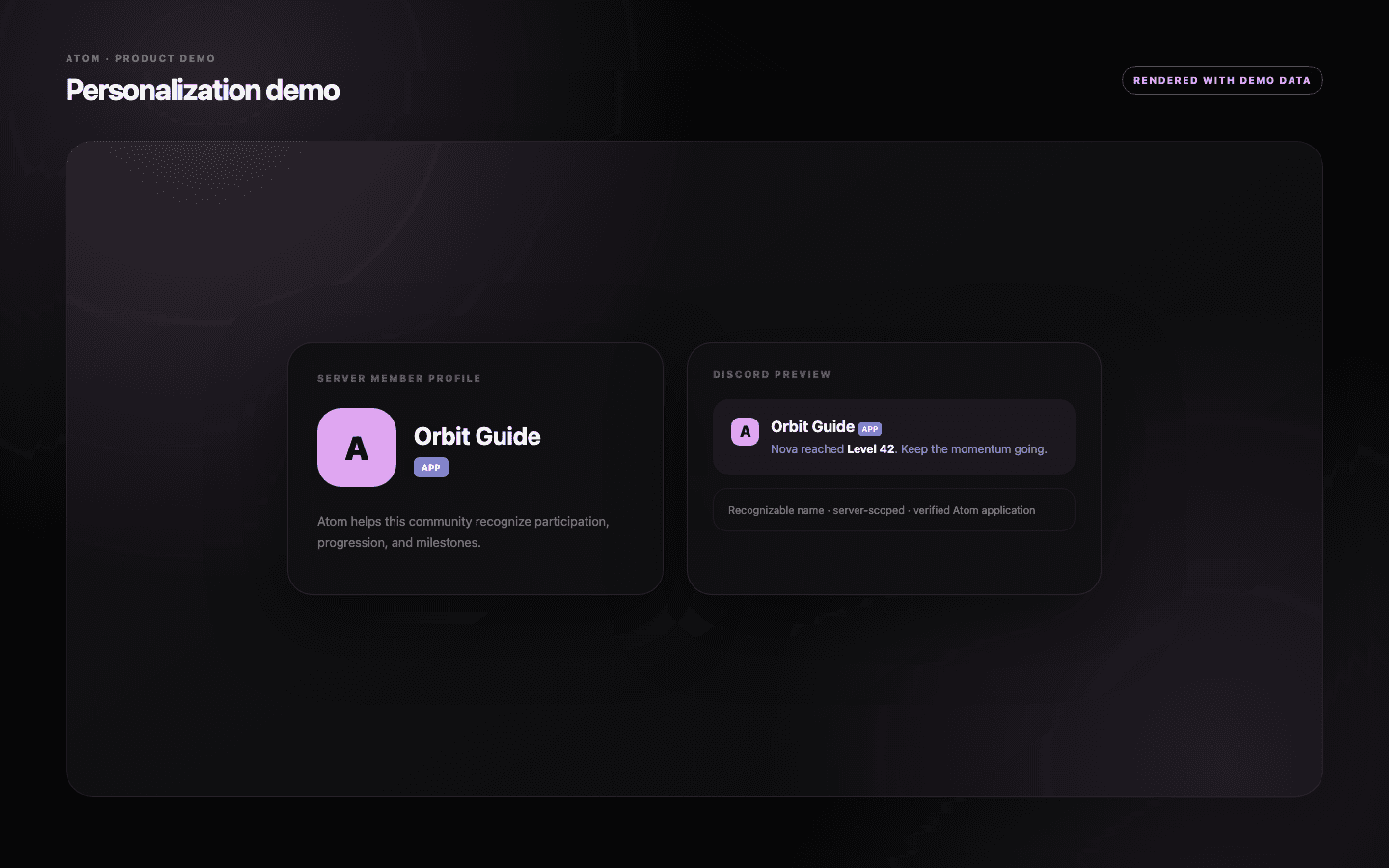
A name or visual treatment that looks elegant in an isolated input may be ambiguous in a crowded member list or command response. The dashboard preview places the proposed identity in a Discord-like context so administrators can assess contrast, length, and recognizability before they commit to it.
Use a name that remains readable on mobile and does not resemble a human moderator. If your server has a strong visual system, echo it through restrained color and imagery rather than replacing every recognizable Atom cue. Consistency helps members understand that rank cards, leaderboards, and automated messages come from the same system.
Discord and plan constraints
Availability can depend on the server, the plan, and Discord itself.
The dashboard reads the bot member profile through the selected server, so missing access or an unavailable Discord resource can limit what appears. Atom should surface that state without discarding the current identity. Reconnect or restore server access before attempting another save.
Some personalization controls may be reserved for a paid plan. A locked field should be understood as a plan boundary, not a failed update. The rest of the dashboard remains usable, and existing server behavior continues until an authorized administrator saves a supported change.
Operational clarity
Make the bot feel native, but never invisible.
The best personalization reduces friction: members can spot the bot, recognize its messages, and connect its profile with the leveling system they use. Avoid names that collide with commands, roles, staff titles, or another automation. If a visual change is substantial, announce it so members do not mistake the new profile for an unapproved bot.
Review personalization after a server rebrand, not after every seasonal event. Stable identity builds trust, while temporary delight is better expressed through achievements, announcements, rank-card themes, or custom responses that have a clear lifecycle.
Common questions
What administrators ask before they switch it on.
Does Personalization create a separate Discord bot?
No. It adjusts supported server-facing profile details for Atom; it does not transfer application ownership or create a new bot application.
Can personalization change Atom’s permissions?
No. Permissions and authorization are separate security boundaries managed through Discord and Atom’s installation flow.
Why are some controls unavailable?
A control can depend on the server plan, the bot member data Discord exposes, or the current user’s authority to manage the server.
What makes a good personalized bot name?
Choose something short, recognizable, and distinct from human staff, roles, and commands. Members should still understand that the profile belongs to Atom.