
In brief
What Rank Card does in Atom.
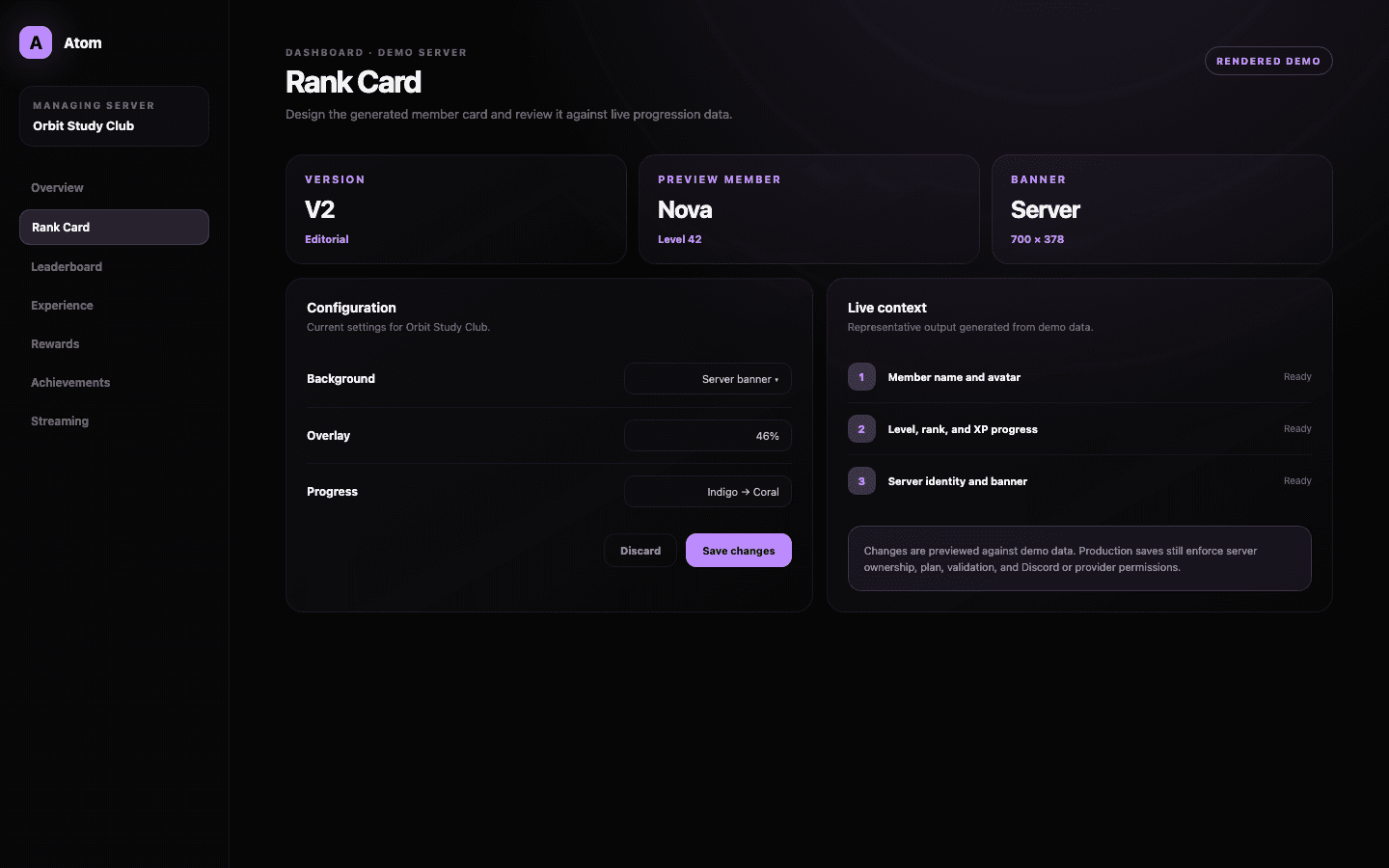
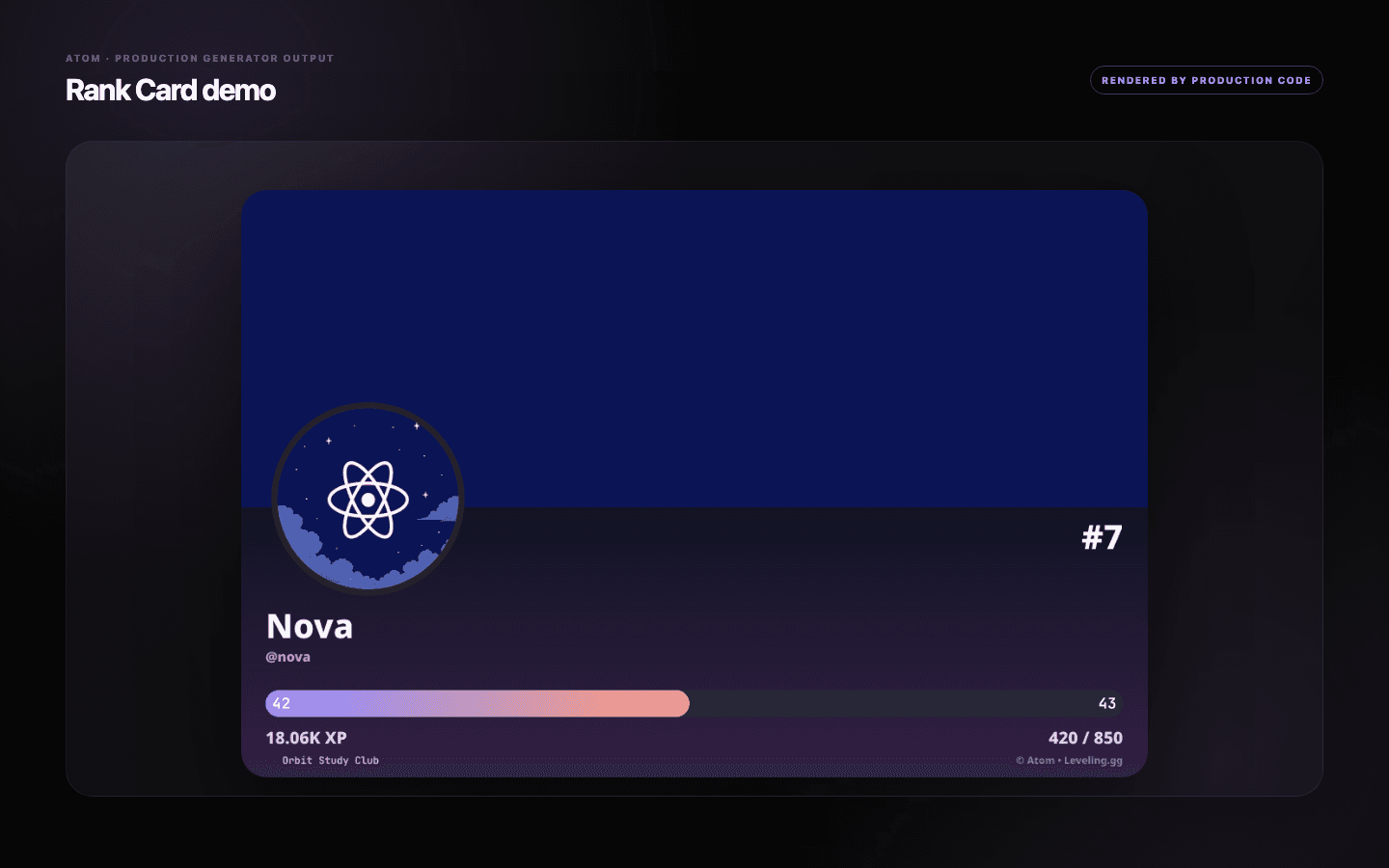
Atom Rank Card is the visual profile generated when a member asks to see their progression. The dashboard supports two card systems with different layout controls, uses real member and server context for previewing, and validates image sources before saving.
01
Design against a live preview that contains level, XP, rank, avatar, and server context.
02
Choose between card versions before tuning the controls specific to that layout.
03
Use readable contrast first; banners, overlays, and avatar-derived colors should support the data.
Two design systems
Start with the layout, because the layout decides which controls matter.
Rank Card V1 emphasizes direct color control across the card, text, progress bar, and overlay. Rank Card V2 uses a more editorial composition with banner sources, background treatment, level and XP styling, and a dedicated progress system. Switching versions changes the configuration surface, so choose the structure that fits the community before polishing individual colors.
The version is a server setting, while the preview uses a real or safe fallback member level. That makes the result easier to evaluate than an empty wireframe: long names, a low level, a nearly full progress bar, and a server identity all expose different layout problems.
Color, background, and hierarchy
Make the progression legible before making it expressive.
The member name, level, rank, and current XP are the information hierarchy. Give those elements enough contrast against every allowed background. A custom banner can be resized into the card’s expected 700-by-378 composition, while built-in sources can draw from a user banner, server banner, or avatar colors when the selected version supports them.
Overlay opacity is useful when a photograph is visually active, but it should not become a blanket fix for poor contrast. Tune the background, text color, bar track, and fill as a system. Then check the avatar edge and small secondary labels, which are usually the first details to disappear on a mobile screen.
- Use supported JPG, PNG, or WebP imagery and keep the source under the documented upload limit.
- Check the card at its rendered size, not only enlarged in the editor.
- Keep the XP fill distinct from both the track and the background.
A real feedback loop
The preview is part of validation, not decoration.
Atom updates the live preview from the form state so administrators can see the effect of a banner source, overlay percentage, color value, or progress setting before the server configuration changes. When an input is invalid, the editor identifies the first field that needs attention instead of silently generating a broken card.
Saving normalizes the selected version and its nested values. A failed dashboard action leaves the previous server card active and gives the administrator a retry path. Plan-gated controls remain visible enough to explain the available design system without pretending an unavailable choice has been applied.
A durable community object
Treat the card as a repeated product surface, not a one-off poster.
Members may generate the card at level 2, level 80, and every point between. Avoid a design that only looks balanced with one username or one progress percentage. Test short and long display names, light and dark avatars, and a nearly empty bar before deciding that the theme is finished.
A rank card can carry the server’s personality without copying a game, creator, or competing bot. Use your own palette and imagery, keep Atom’s progression data clear, and revisit the card when the server brand changes—not every time the leaderboard moves.
Common questions
What administrators ask before they switch it on.
What information appears on an Atom rank card?
The generated card can include the member identity, level, server rank, current XP, required XP, progress, and server context, depending on the selected version.
Can I upload a custom rank-card background?
Supported card controls accept common image formats such as JPG, PNG, and WebP. The V2 banner flow prepares the image for the expected card dimensions before saving.
Why does Atom show two card versions?
The versions are different layout and styling systems. Choose one first, then use the controls designed for that composition.
Does changing the design change member XP?
No. Rank-card presentation reads progression data; it does not alter a member’s level, XP, or position.