

A milestone, not another counter
What Discord achievements actually do.
A Discord achievement marks one specific accomplishment inside a community. It gives a beginning, a target, and a moment of completion to participation that might otherwise disappear into a total count.
That makes achievements different from the rest of a progression system. XP measures continued participation. Levels summarize overall progress. Achievements recognize particular milestones. Their cards make those accomplishments visible, while optional rewards can reinforce the moments a server values most.
- 01
Participate
A member takes part through an eligible activity such as messages, voice, reactions, trivia, crates, XP, or levels.
- 02
Make progress
Atom records progress toward the server’s configured target for that member.
- 03
Unlock
Completion can produce a card announcement and multiple distinct rewards that add or remove XP, levels, and roles.
Visible accomplishments
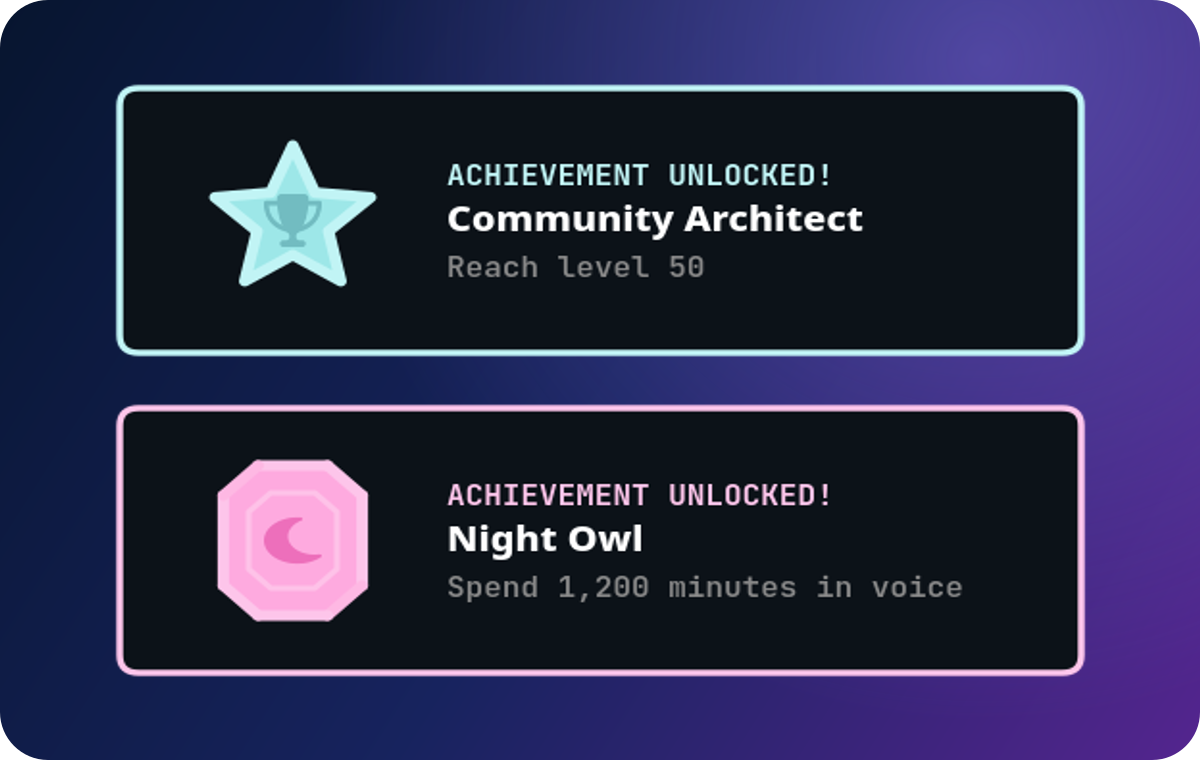
A card gives each milestone its own identity.
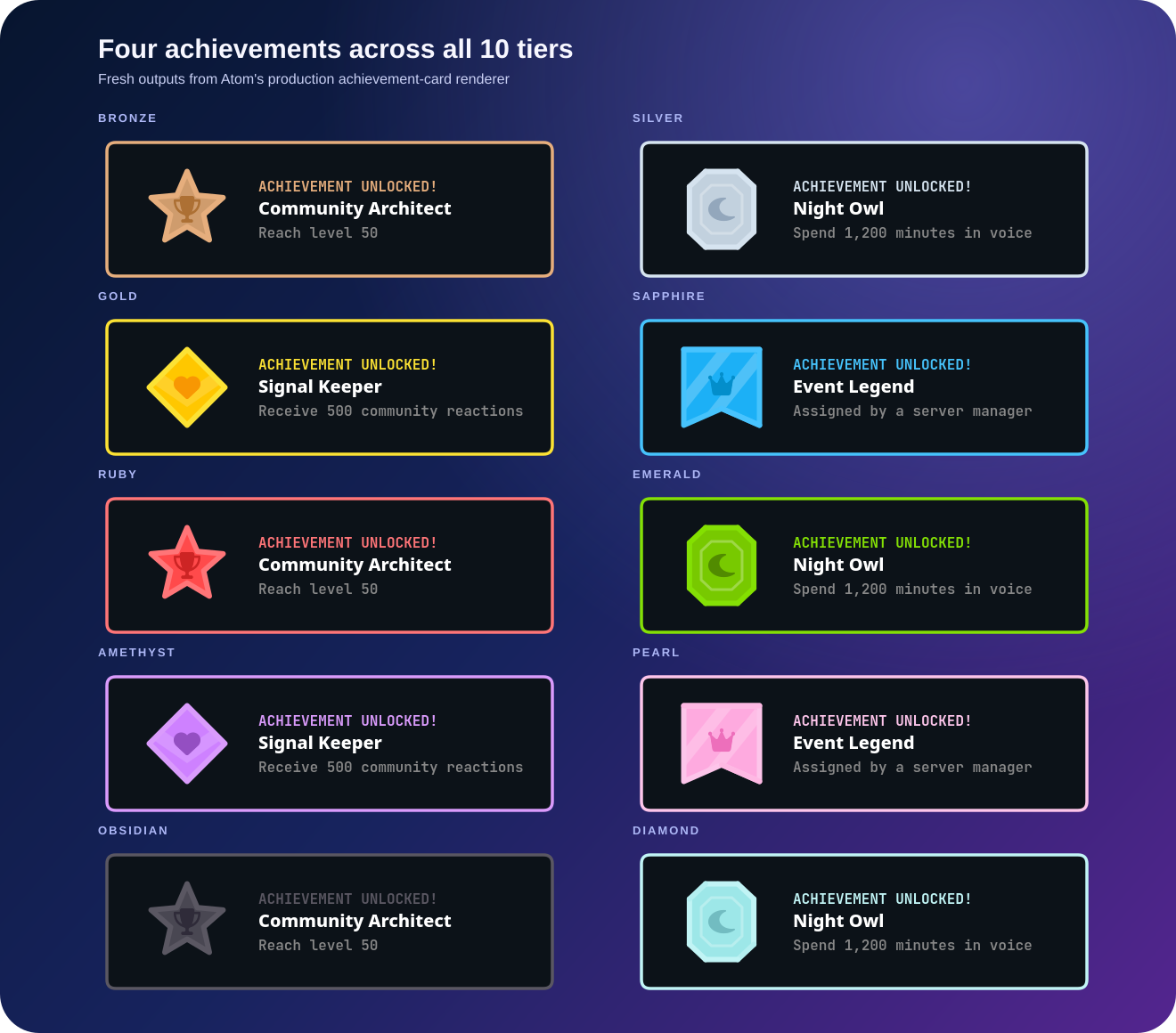
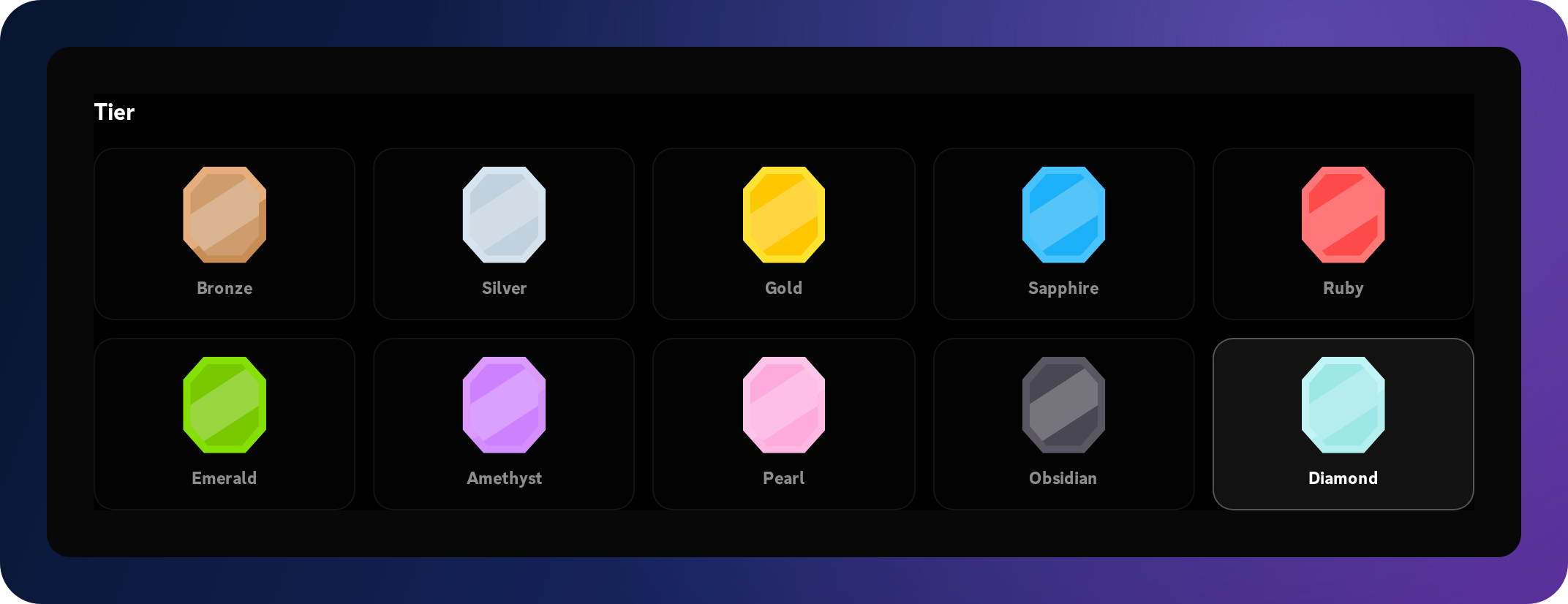
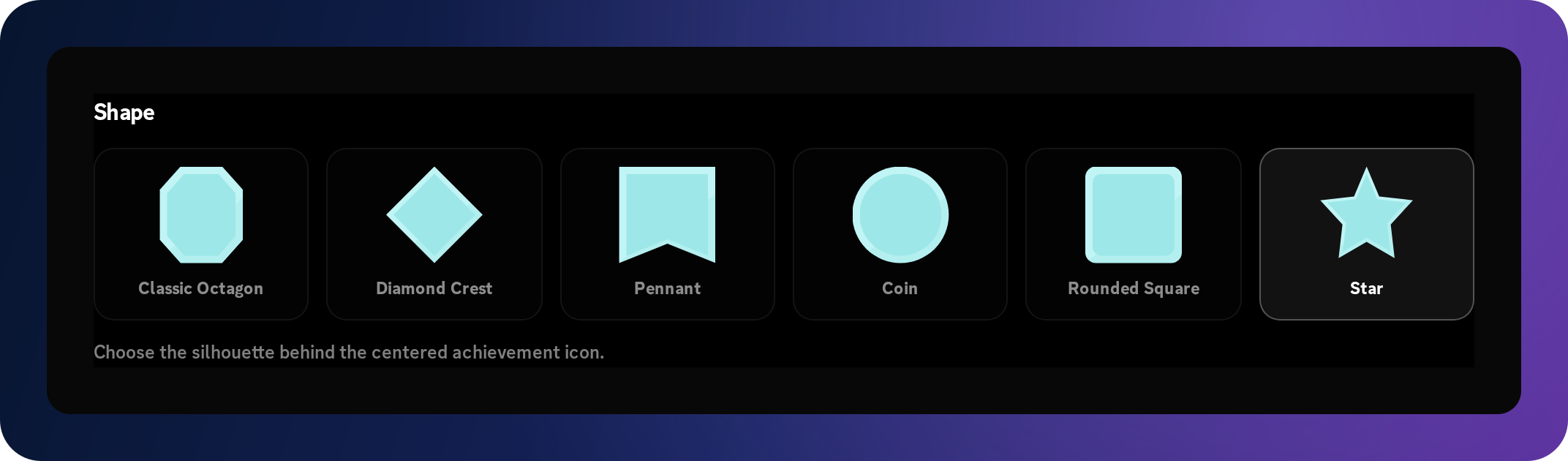
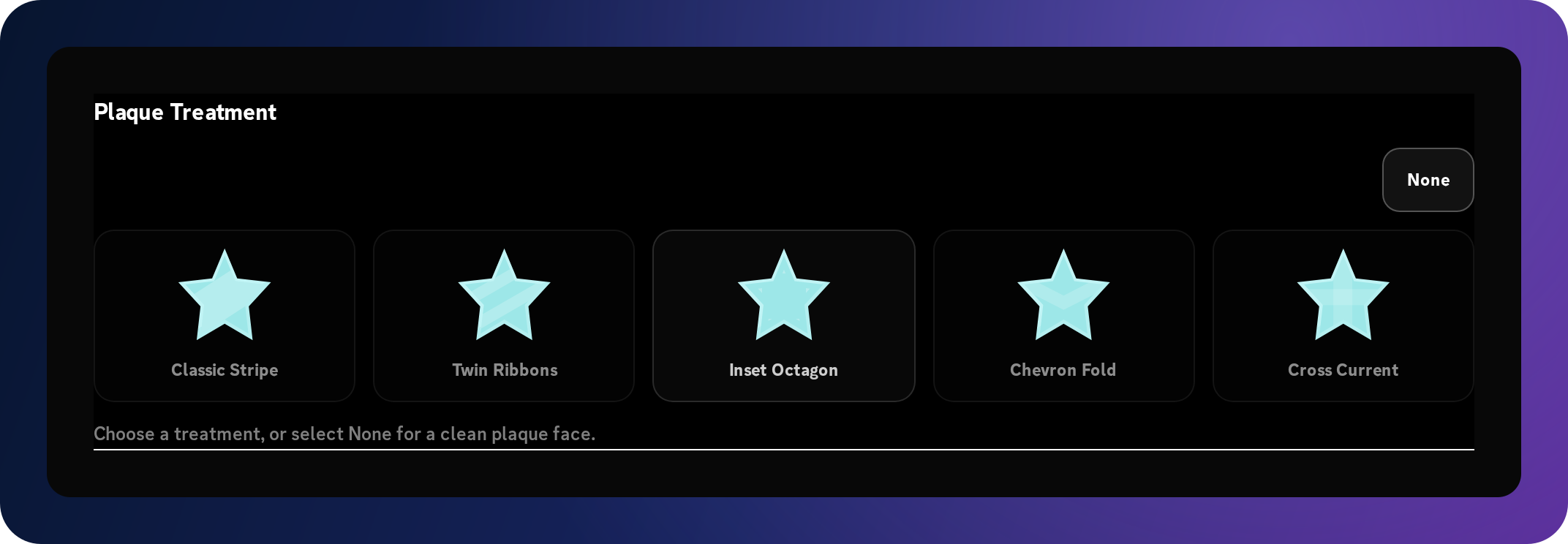
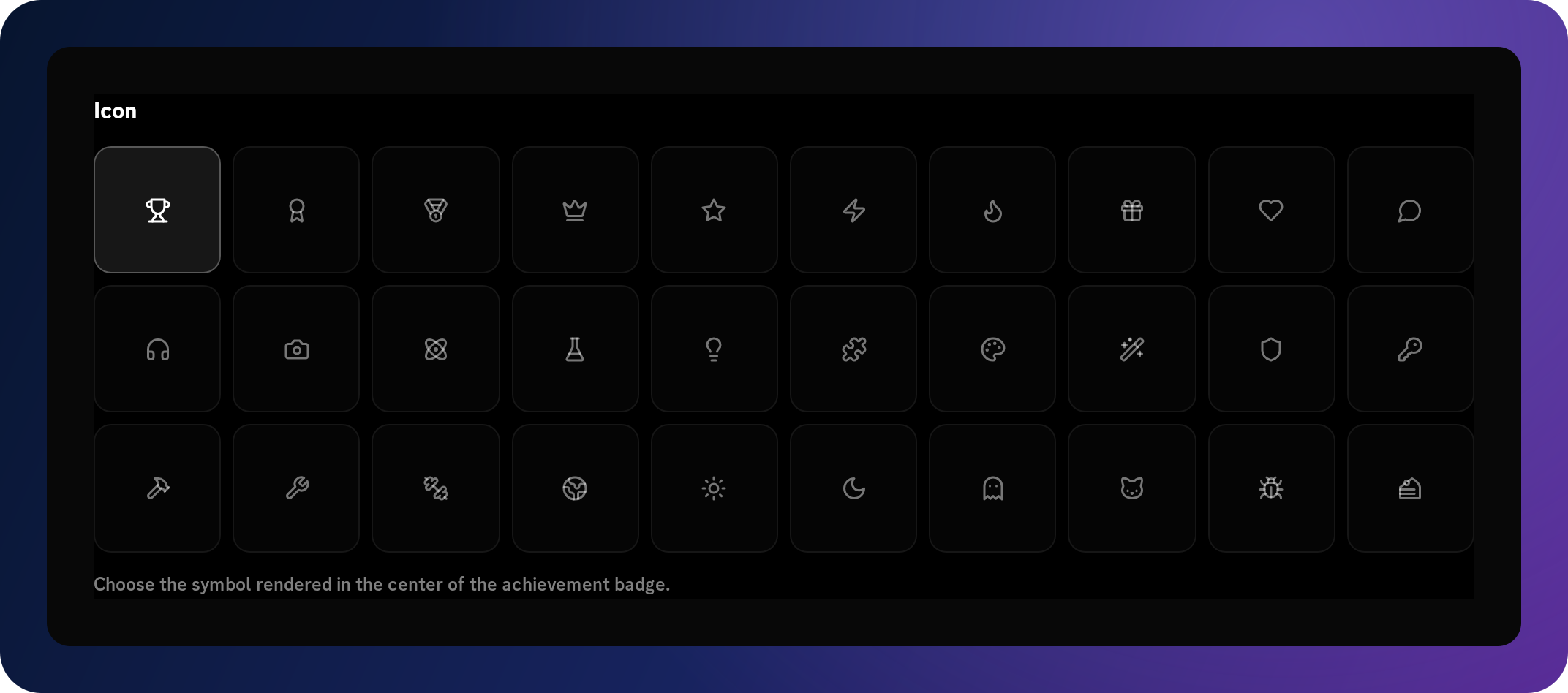
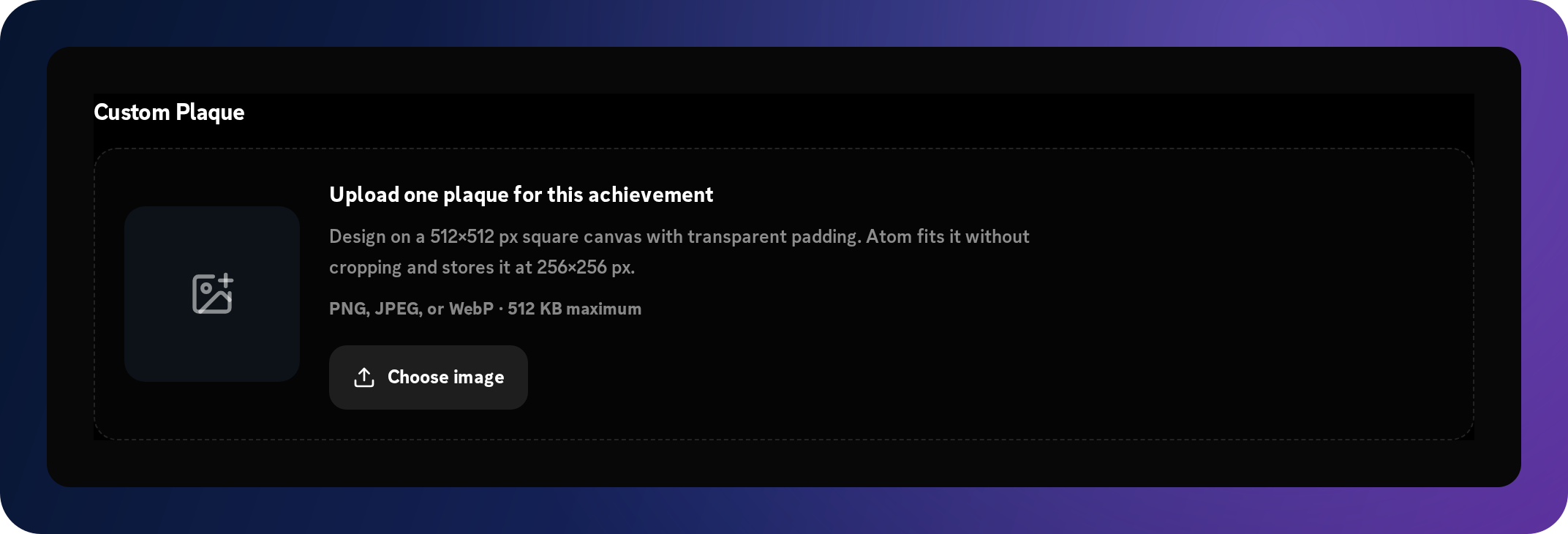
Atom’s preset achievement system combines a tier, one of six plaque shapes, an optional inner plaque treatment, and a selected icon. Free servers use Bronze, Silver, or Gold with Classic Octagon and Classic Stripe. Superatom unlocks the full preset collection. Subscribers can also upload a custom plaque and control the card’s border, eyebrow, title, and description colors.
The examples below use Atom’s current achievement-card renderer. Together they show all ten tiers across the four demonstration achievements, with each tier rendered in its own colors rather than recolored to match this page.
Choose the accomplishment
Recognize activity, belonging, and milestones together.
An achievement can require up to ten tasks. Every task must be completed before it unlocks; manager assignment is a standalone task. Choose targets that reflect the contribution you want to recognize.
Participation
Messages, voice minutes, reactions added or received, and reactions removed by a member or from their messages. These tasks can be scoped to a channel.
Progression
XP earned, levels reached, crates claimed, and trivia questions answered.
Community membership
Membership duration in days and gaining a selected role. Server joined and server boost duration milestones are exclusive to Superatom.
Commands and invites
Successful slash commands, plus tracked successful member invites on Superatom. Any achievement containing an invite task has XP, level, and role rewards disabled.
Achievement collections
Every selected prerequisite achievement, or a target number of other completed achievements.
Staff recognition
A manager-assigned honor for an accomplishment that needs human judgment, optionally hidden until earned.
Built with our community
Superatom
Superatom gives subscribers the fullest achievement experience: room to grow a collection, more ways to recognize participation, and complete control over its visual identity. Build milestones around your community’s traditions, from a first contribution to a rare Diamond achievement.
Subscribers support our vision of development guided by community feedback. That support helps us keep improving Atom around the ideas, requests, and everyday experiences shared by the communities using it.
| Feature | Free | Superatom |
|---|---|---|
| Collection | 18 default achievements + 5 custom achievements | 18 defaults + unlimited custom achievements |
| Tiers | Bronze, Silver, and Gold | All ten tiers, Bronze through Diamond |
| Plaque shape | Classic Octagon only | All six shapes |
| Inner design | Classic Stripe only | All inner designs, including None |
| Community activities | Server boost activity, server joined, and invites are unavailable | Server boost activity, server joined, and member invites |
| Creative tools | Preset plaques | Custom plaque uploads, card text colors, and announcement tests |
Plans start as low as $5.98 monthly. Your subscription supports our community-oriented development and unlocks the complete achievement customization experience.
Explore SuperatomFor server administrators
Define the meaning, the look, and the outcome together.
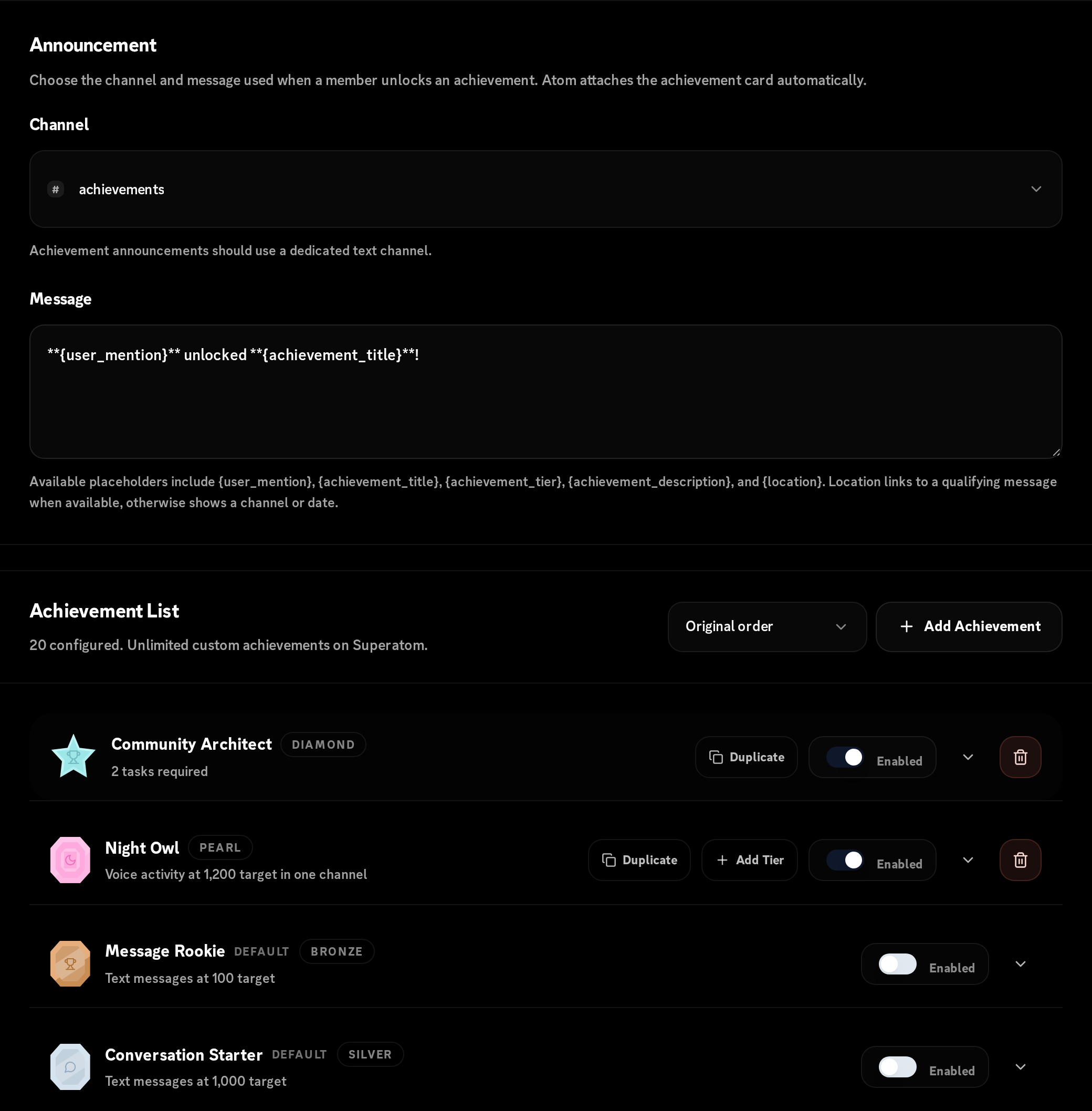
Every server receives 18 default achievements across Bronze, Silver, and Gold. Their details are fixed: defaults can only be enabled or disabled and cannot be deleted. Free servers can add up to 5 custom entries. Superatom servers can save unlimited custom entries in the dashboard. Give each custom entry a title and a concise description, keep it enabled or disabled, then choose whether the card uses Atom’s preset plaque system or, on Superatom, an uploaded custom plaque.
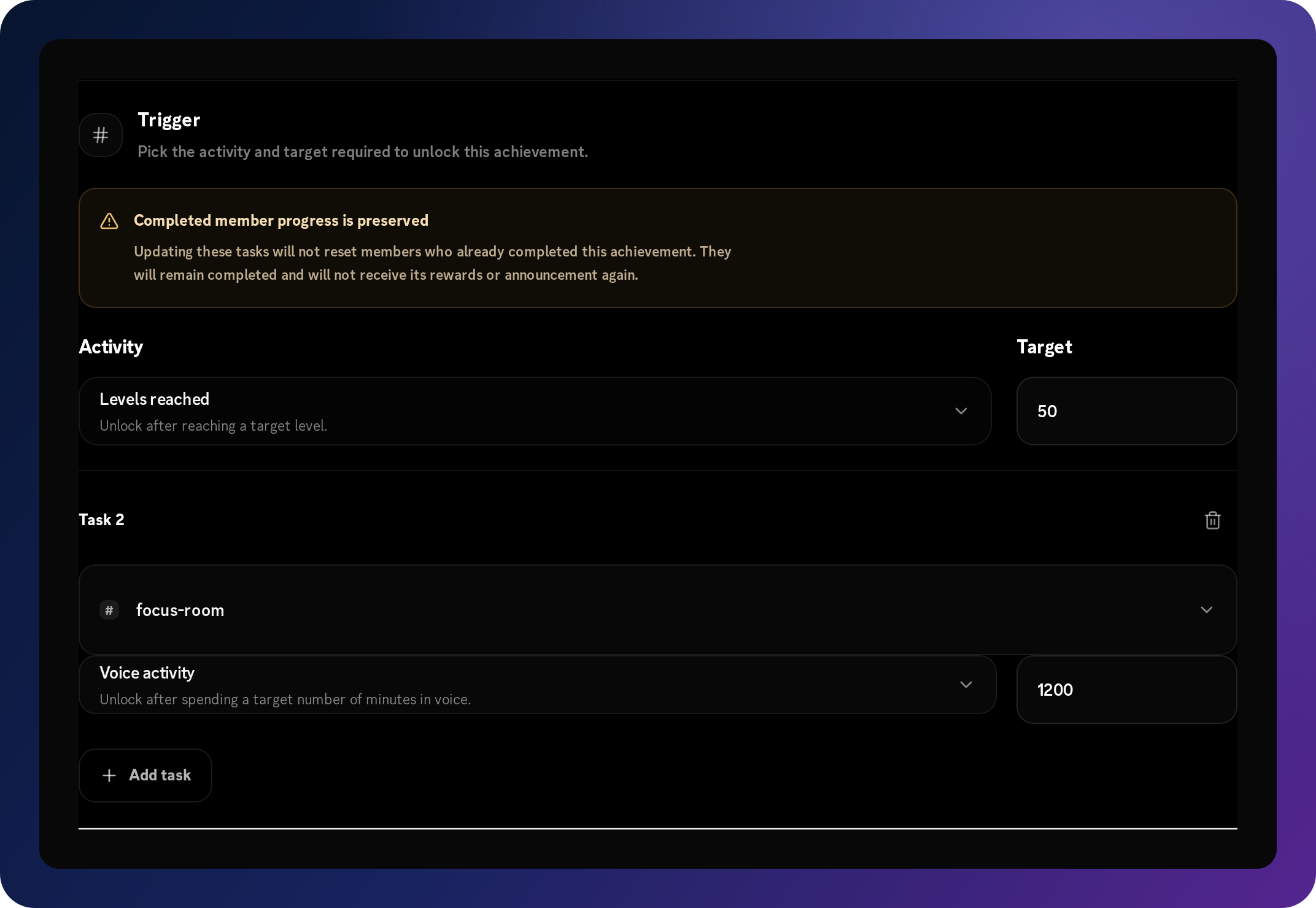
Select a supported task and its target, then add more tasks when every condition should be required. Message, voice, and reaction tasks can be scoped to a channel. An achievement can also depend on a selected set of completed achievements or any configured number of completed achievements. Role-gained achievements wait for one selected Discord role, while manager-assigned achievements can be hidden from the member command until they are earned.
For achievements without an invite task, optionally select one or more unique rewards: add or remove XP, add or remove levels, and add or remove roles. Set the shared announcement channel and message once; Atom attaches the generated achievement card when the milestone unlocks. Administrators can edit custom entries, disable them without deleting their definition, or remove them from the collection.
Sort the collection by name, tier, trigger activity, or original order. For custom entries, Duplicate copies an entry; Add Tier copies it with the next preset tier. Both create a disabled entry so you can adjust its tasks before enabling it. Changing tasks on an existing achievement preserves completed members and does not repeat their rewards or announcement.
On Superatom, use Test to send the current card and announcement to the selected channel before launch. The message is labeled as a test, with mentions suppressed; it does not record an unlock or apply rewards. Save Changes separately to keep your edits.
Configure
Title, description, plaque, tasks and targets, achievement prerequisites, and optional channel or role scopes.
Reward
Optionally add or remove XP, levels, and roles after an unlock. Invite milestones have rewards disabled.
Announce
Choose a Discord channel and write a message using supported achievement and member variables.
Maintain
Test announcements, duplicate entries, advance a copy to the next tier, and enable, disable, edit, or remove milestones.

For community members
The next milestone stays visible before the unlock.
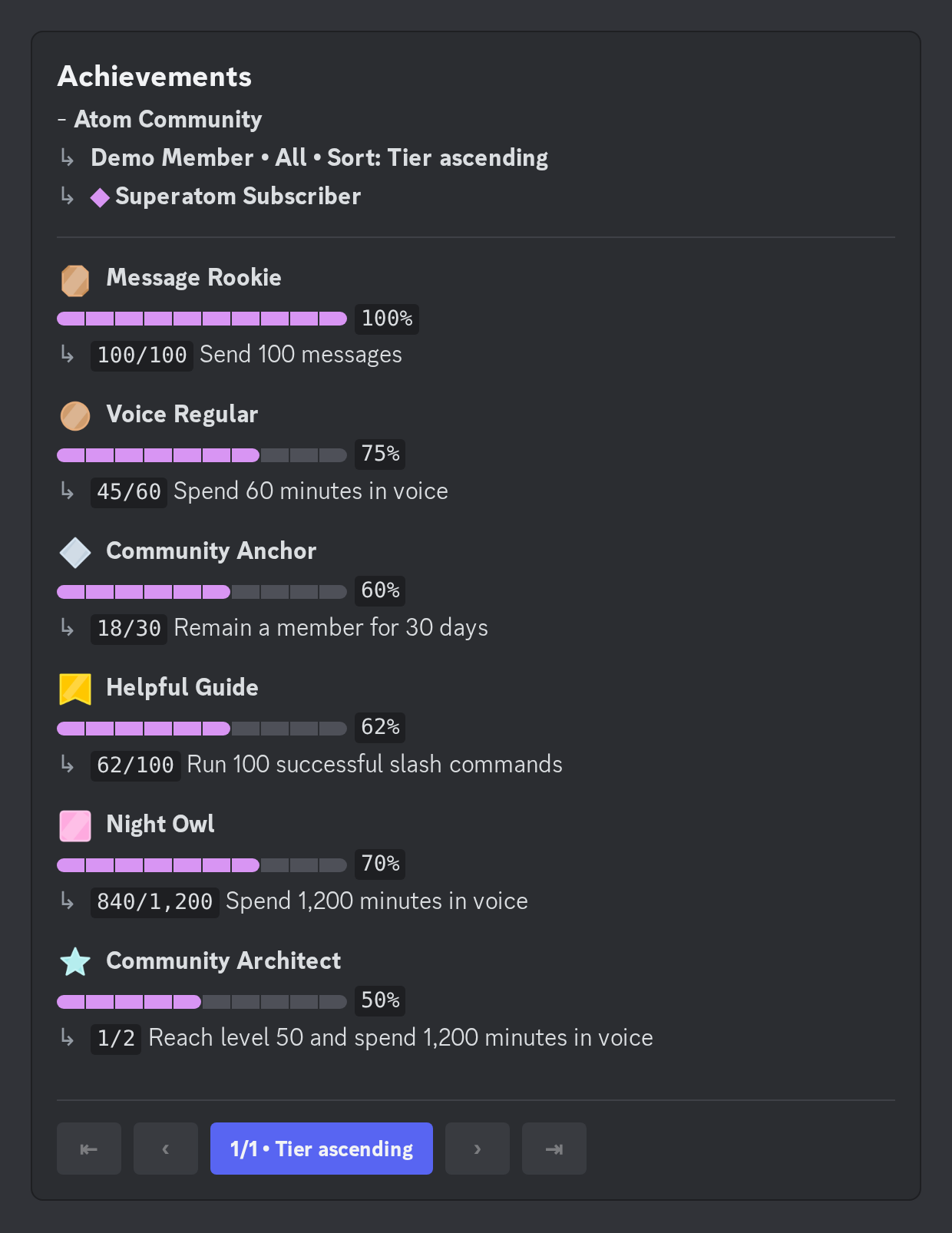
Server managers use Atom’s /achievements command to view all, completed, or uncompleted achievements for themselves or another member. The command currently requires Manage Server permission. Each listed milestone includes a progress bar, current count, target, and completion percentage. For achievements with multiple tasks, the count shows completed tasks out of required tasks. Pages show up to ten entries; the center navigation button cycles sorting by tier, name, progress, completion time, and configured order. Navigation expires after one minute of inactivity.
As eligible activity occurs, Atom updates that member’s stored progress. When all required tasks reach their targets, it records the completion time, applies configured rewards, and sends the announcement card when a channel is configured. The achievement remains part of the member’s completed view rather than becoming another fleeting chat message.
Existing stored totals can also count toward unscoped activity milestones when Atom synchronizes progress. Current roles, membership and boost duration, and completed prerequisites can be reconciled too. Channel-scoped tasks, joining, trivia, and crates rely on qualifying events rather than a full historical replay.
Managers can use /achievements assign or /achievements unassign for standalone manager-assigned honors. The optional progression percentage adds or removes progress on a single-task achievement; it is unavailable for achievements with multiple tasks. Unassigning or removing progress does not undo previously delivered rewards.
One connected progression system
Levels reward continuity. Achievements create memories.
A Discord leveling system answers “how far have I progressed overall?” An achievement answers “what exactly did I accomplish?” Those are different jobs, and communities lose useful context when one generic score has to do both.
Atom connects them without collapsing them. Eligible text, voice activity, reactions, trivia, crates, XP, and levels can move achievement progress. An unlock can create recognition through its card and announcement, optionally reinforce the milestone through role rewards, and sit alongside rank cards and leaderboards as another view of member progression.
Continuous
Levels
XP adds up over time and the member advances through a shared progression curve.
Discrete
Achievements
One defined activity, target, role, or staff decision becomes a named accomplishment.
Durable
Together
Members always have a next step while still remembering the milestones that made the journey distinct.
Practical patterns
Achievement ideas grounded in supported triggers.
The best name depends on a community’s language. The useful part is the relationship between the accomplishment, the verified trigger, and the reason members should care.
Gaming servers
Event Legend
A tournament win or standout event contribution assigned by a server manager.
Why it works: On Superatom, use a rare Obsidian plaque so staff recognition stays distinct from routine activity.
Study communities
Deep Focus
A meaningful total of eligible minutes in a study voice channel.
Why it works: Scope the voice trigger to the relevant channel and publish the target clearly.
Creator communities
Signal Keeper
Reactions received from other members across useful community contributions.
Why it works: Reward recognition from peers without pretending every reaction has equal meaning.
Social communities
Community Architect
A distant level milestone reached through the server’s existing XP rules.
Why it works: Pair a memorable card with a progression target members already understand.
Design for meaning
Build a collection, not a checklist of chores.
Reward useful behavior
A milestone teaches members what the community values. Do not make meaningless posting the fastest route to every card.
Mix time horizons
Give a newcomer one understandable early target and established members something genuinely aspirational.
Keep the meaning legible
A member should understand the title, requirement, and reward without asking staff to decode the configuration.
Protect scarcity
Too many nearly identical achievements flatten the value of each unlock. Start small and expand with intent.
Use more than message volume
Voice, reactions received, trivia, crates, roles, and manager assignment can recognize different forms of contribution.
Announce selectively
A shared channel can turn unlocks into social proof, but targets should be paced so recognition does not become notification noise.
Discord achievements FAQ
Questions server owners ask before launch.
What are Discord achievements?
Discord achievements are server-defined milestones that recognize a specific accomplishment, such as reaching a level, contributing in voice, receiving reactions, answering trivia, claiming crates, joining the server, reaching a membership or boost duration, using commands, inviting members, gaining a role, or earning a manager-assigned honor. Atom tracks the configured requirement and records each member’s progress and completion.
Are custom achievements available on the free plan?
Yes. Free servers receive 18 default achievements and can add up to 5 custom achievements, using Bronze, Silver, or Gold tiers with the Classic Octagon shape and Classic Stripe design. Server boost activity, server joined, and member invites require Superatom. Defaults can only be enabled or disabled; their details cannot be edited and they cannot be deleted.
How do I add achievements to my Discord server?
Add Atom, open the server dashboard, and go to Achievements. Create an entry, name the milestone, choose a plaque, configure one or more required tasks, add optional rewards, configure the announcement, and save it. Tasks can also require selected achievements or a target number of completed achievements.
Can I create custom achievements and badges with Atom?
Yes. Free servers can add up to 5 custom achievements alongside 18 defaults. Superatom unlocks unlimited custom entries, all ten preset tiers, all six plaque shapes, every inner treatment, and custom plaque uploads with configurable card text colors.
What is the difference between achievements and levels?
Levels summarize continuous XP progression. Achievements record discrete accomplishments. A member can move steadily through levels while collecting milestones for particular activities, events, roles, or contributions.
Can members track achievement progress?
The /achievements all, completed, and uncompleted views show a member’s progress bars, counts, targets, and percentages. Results are paginated and can be sorted by tier, name, progress, or completion time. The command currently requires Manage Server permission, so server managers can look up themselves or another member. Hidden manager-assigned achievements stay concealed until earned.
Can an achievement reward a Discord role?
Yes. Most achievements can add or remove configured roles, XP, and levels. Achievements containing a successful member invites task have all rewards disabled, even when combined with other tasks. Role delivery still depends on Discord permissions and role hierarchy.
Can one achievement have multiple rewards?
Yes. Select a reward type first, configure its amount or roles, and then select additional reward types. Add XP, remove XP, add levels, remove levels, add roles, and remove roles can each be selected once per achievement. Invite milestones cannot grant rewards.
Can achievements be based on voice activity?
Yes. Atom can track eligible voice minutes toward an achievement, and the trigger can optionally be scoped to one channel. The server’s activity eligibility and blacklist rules still apply.
Can I test an announcement before anyone earns it?
Yes. On a Superatom server, choose an announcement channel and use Test on an entry. Atom sends the current card and message to that channel, labeled as a test. It does not unlock the achievement, apply rewards, or ping members. Save Changes separately when you are ready to keep the configuration.
Will changing tasks reset completed achievements?
No. Members who already completed an achievement remain completed when its custom tasks change; the edit does not grant its rewards or send its announcement again. Duplicate or Add Tier creates a separate, initially disabled entry for a new milestone.
Does existing activity count toward a new achievement?
Atom can synchronize stored member totals for messages, voice, reactions, XP, levels, successful commands, and tracked invites, as well as current roles, membership and boost duration, and achievement prerequisites. Channel-scoped tasks and event-only milestones such as joining, trivia, and crates need qualifying events; they are not reconstructed from a server’s full history.
How many achievements should a server create?
Start with a small, deliberate collection: a reachable introduction, several meaningful mid-term milestones, and one or two aspirational goals. Add another only when it recognizes something members can explain and your team intends to maintain.
How do I prevent achievements from encouraging spam?
Do not make raw message volume the only path. Use the server’s XP cooldowns and eligibility rules, choose channel scope where it adds meaning, include voice or peer-reaction milestones, and reserve manager assignment for accomplishments that require judgment.
Learn before you configure
Practical resources for building a better collection.
Atom Achievements is the production system; these focused guides help you decide what it should recognize, how it should look, and which rules are worth putting in front of members.
How Discord achievements work
Design a meaningful system instead of another activity counter.
Browse achievement ideas
Use 60 practical concepts with implementation notes.
See achievement card examples
Make rarity and milestones readable at a glance.
Compare achievement bots
Assess the current options with evidence and real trade-offs.